Rhestr ffeiliau
Create a sequence diagram file
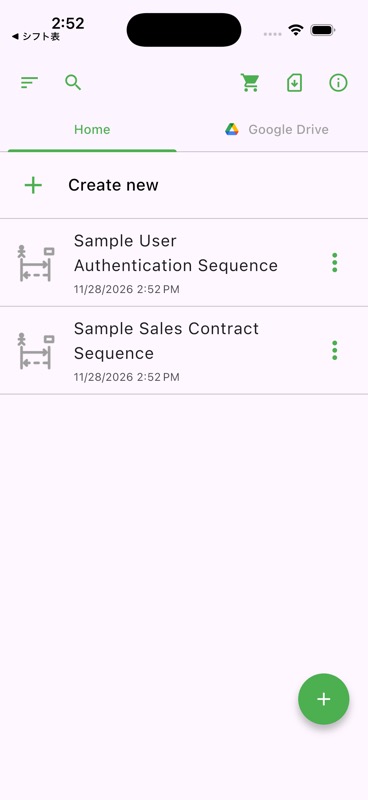
- Select + Create new in the file list.
- Enter a name and select OK to open the sequence diagram editor.
Newid trefn didoli ffeiliau
- Defnyddiwch y rheolydd didoli ar frig y rhestr ffeiliau. Ar sgrin gryno, agorwch y ddewislen didoli.
- Dewiswch ddidoli yn ôl dyddiad addasu neu enw ffeil.
Search for a file by name
- Open Home or Google Drive, depending on where the file is stored, and select the Search icon.
- Enter part of the name in Search by file name. Select Close to see the full list again.
Dyblygu ffeil
- Agorwch ddewislen tri dot y ffeil a dewiswch ‘Dyblygu’.
- Agorwch y copi a ychwanegwyd at y rhestr i’w olygu gan gadw’r ffeil wreiddiol.
Dileu ffeil
- Agorwch ddewislen tri dot y ffeil a dewiswch ‘Dileu’.
- Gwiriwch y neges gadarnhau a dewiswch ‘Iawn’.
Ar gyfer ffeil sydd wedi’i rhannu â chi, gall y ddewislen gynnig opsiwn i ddileu’r rhannu.
Ailenwi ffeil
- Agorwch ddewislen tri dot y ffeil a dewiswch ‘Ailenwi’.
- Rhowch yr enw newydd a chadarnhewch.
Mae angen caniatâd golygu arnoch i ailenwi ffeil Google Drive sydd wedi'i rhannu â chi.
Import a Mermaid diagram
- Select Import in the file list and select OK to open the file picker.
- Choose a Mermaid file (.mermaid or .mmd), then open it from the file list.
Cadw i Google Drive
- Dewiswch Google Drive yn y rhestr ffeiliau a dilynwch y cyfarwyddiadau i gysylltu eich Cyfrif Google.
- Crëwch ffeil newydd o restr Google Drive. Os yw'r opsiwn ar gael, gallwch hefyd symud ffeil leol i Google Drive o'i dewislen tri dot.
I agor y ffeil ar ddyfais arall, cysylltwch y Cyfrif Google a ddefnyddiwyd gennych i'w chadw.
Symud ffeiliau rhwng eich dyfais a Google Drive
- Yn yr ap sydd wedi'i osod, cysylltwch eich Cyfrif Google ac agorwch ddewislen tri dot y ffeil.
- Dewiswch ‘Symud i Google Drive’ neu ‘Symud i'r Cartref’, yn ôl lle mae'r ffeil wedi'i chadw, a chadarnhewch.
Golygu ffeiliau
Describe participants and their messages to create a sequence diagram
- Open Sequence at the top, tap the input field at the bottom, and choose Edit.
- Describe the participants and messages in order. For example, “The customer sends an order to the store. The store checks stock with the warehouse, then confirms the order to the customer.” Select Send.
- Review who sends each message and check the direction and order of the arrows.
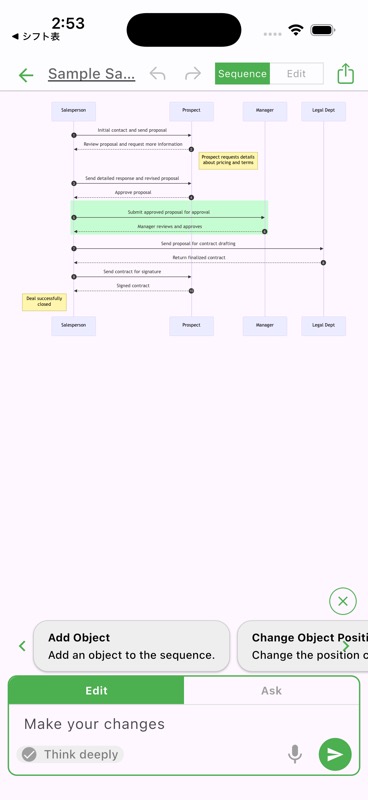
Ask AI about the sequence diagram
- On Sequence, tap the input field at the bottom and choose Ask.
- Send a question such as “Who does the store contact after checking stock?” and read the reply in the chat window.
Edit participants and messages in Mermaid
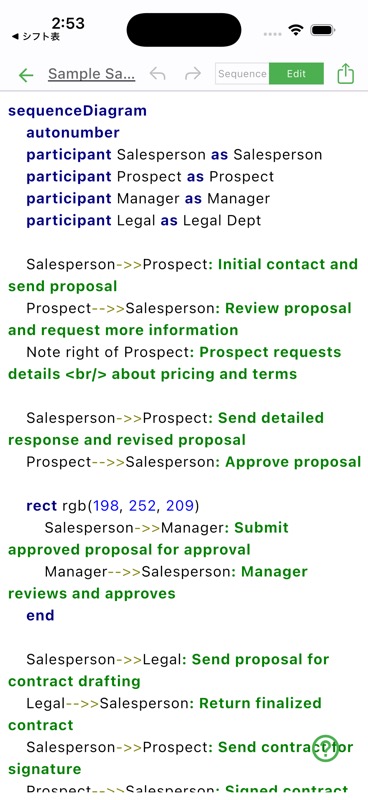
- Choose Edit at the top to open the Mermaid source.
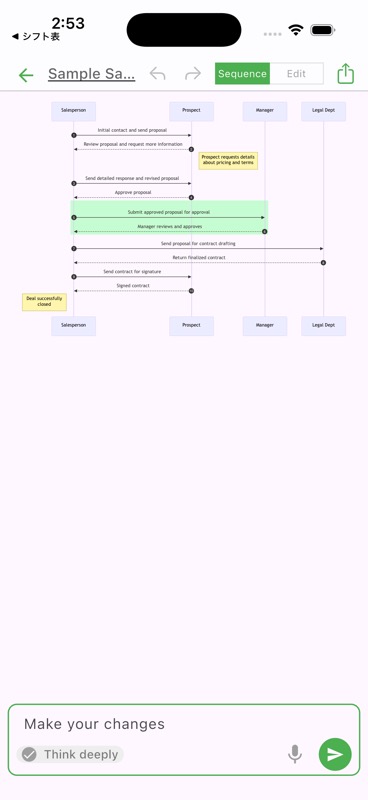
- Update participant names, message text, or message order. Switch back to Sequence to check the diagram.
Export the diagram as an image, Mermaid, or HTML
- Select the share icon in the top-right corner of the editor.
- Choose an image to place the diagram in another document, Mermaid (.mermaid) to edit the source later, or HTML to open the file in a browser.
Pryniannau
Prynu cynllun taledig
- Dewiswch eicon y drol siopa yn y rhestr ffeiliau.
- Adolygwch y cynlluniau a'r prisiau ar y sgrin brynu, yna dewiswch y cynllun yr hoffech ei brynu.
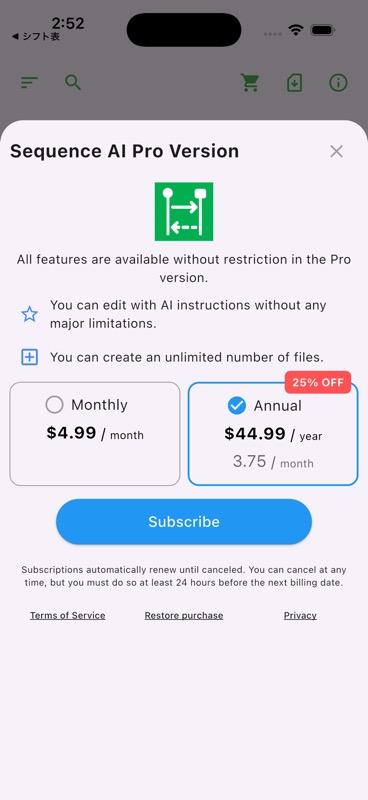
Adfer pryniant
- Os gwnaethoch y pryniant mewn siop apiau, mewngofnodwch gyda'r cyfrif siop a ddefnyddiwyd gennych i brynu'r cynllun.
- Agorwch y sgrin brynu yn yr ap, dewiswch «Adfer pryniannau» a gwiriwch y canlyniad.
Rheoli pryniant neu danysgrifiad
- Os oes opsiwn i reoli pryniannau yn newislen wybodaeth y rhestr ffeiliau, agorwch ef.
- Defnyddiwch y siop neu'r gwasanaeth lle prynoch y cynllun i adolygu neu ganslo eich tanysgrifiad.
Cyfrif taledig
Cysylltu eich pryniant â chyfrif Google
- Mewngofnodwch i'ch cyfrif Google ar y ddyfais lle mae gennych bryniant gweithredol.
- Os yw'r opsiwn i gysylltu eich pryniant â chyfrif Google yn ymddangos yn y ddewislen, dewiswch ef a chadarnhewch y cyfrif.
- I ddefnyddio'ch cynllun taledig ar ddyfais arall a gefnogir, mewngofnodwch gyda'r cyfrif Google sydd wedi'i gysylltu.
Newid cyfrif Google
- Gwiriwch pa gyfrif Google sy'n weithredol yn newislen wybodaeth y rhestr ffeiliau.
- Os yw'r opsiwn allgofnodi ar gael, dewiswch ef, yna agorwch Google Drive a mewngofnodwch i'r cyfrif yr hoffech ei ddefnyddio.
Ar ddyfais arall, defnyddiwch y cyfrif sy'n gysylltiedig â'r pryniant neu'r ffeiliau Drive yr hoffech gael mynediad atynt.