Lista di i fugliali
Create an HTML file
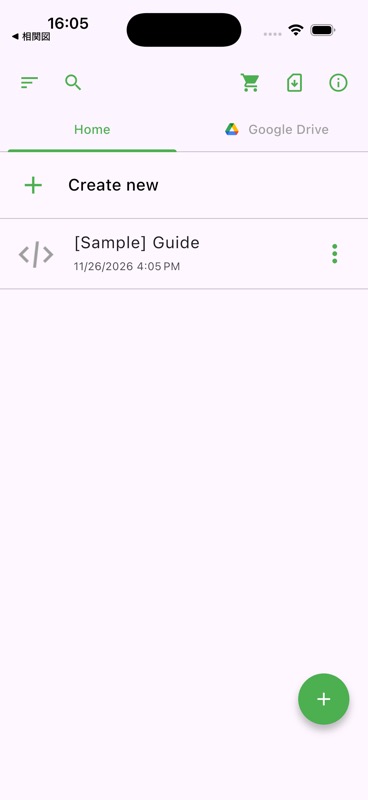
- Select + Create new in the file list.
- Enter a name for the page, then select OK to open the editor.
Cambià l’ordine di i fugliali
- Aduprà u cumandu d’urdinamentu in cima à a lista di i fugliali. Nant’à un schermu cumpattu, apre u menu d’urdinamentu.
- Sceglie d’urdinà per data di mudificazione o per nome di fugliale.
Search for a file by name
- Open Home or Google Drive, depending on where the file is stored, and select the Search icon.
- Enter part of the name in Search by file name. Select Close to see the full list again.
Duplicà un fugliale
- Apre u menu à trè punti di u fugliale è selezziunà «Duplicà».
- Apre a copia aghjunta à a lista per mudificalla mantenendu l’uriginale.
Sguassà un fugliale
- Apre u menu à trè punti di u fugliale è selezziunà «Sguassà».
- Verificà u messagiu di cunferma è selezziunà «OK».
Per un fugliale spartutu cun tè, u menu pò prupone un’opzione per caccià a spartera.
Rinuminà un fugliale
- Apri u menù à trè punti di u schedariu è selezziuneghja «Rinumà».
- Inserisci u novu nome è cunfirmà.
Ci vole u permessu di mudificazione per rinumà un schedariu di Google Drive spartutu cun tè.
Import an existing HTML file
- Select Import in the file list, then select OK to open the file picker.
- Choose an HTML file (.html or .htm) and open it from the list.
Salvà in Google Drive
- Scegli Google Drive in a lista di i schedarii è seguita l'istruzzioni per cunnette u to contu Google.
- Crea un novu schedariu da a lista di Google Drive. S'è l'opzione hè dispunibule, poi dinù spustà un schedariu lucale in Google Drive da u so menù à trè punti.
Per apre u schedariu nant'à un altru dispusitivu, cunnetti u contu Google chì ai adupratu per salvallu.
Spustà i schedarii trà u dispusitivu è Google Drive
- In l'app installata, cunnetti u to contu Google è apri u menù à trè punti di u schedariu.
- Scegli «Spustà in Google Drive» o «Spustà in Accolta», secondu u locu induve u schedariu hè salvatu, è cunfirmà.
Mudificazione di i fugliali
Edit HTML and preview the page
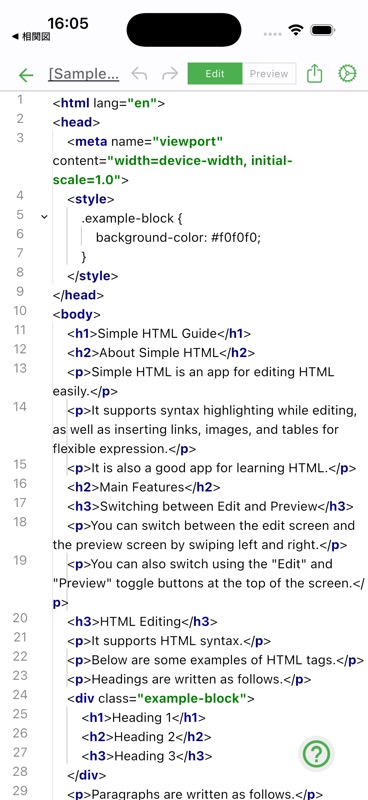
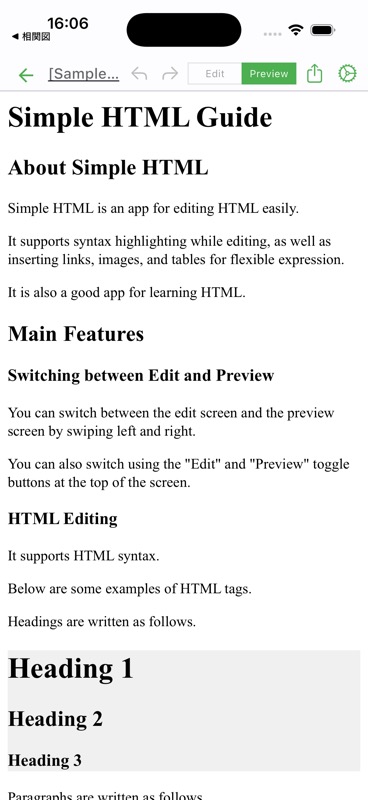
- Select Edit at the top and change the page text or markup. Try changing a heading or paragraph first.
- Switch to Preview to check the headings, links, and layout. Return to Edit to make more changes.
Find and replace text in HTML
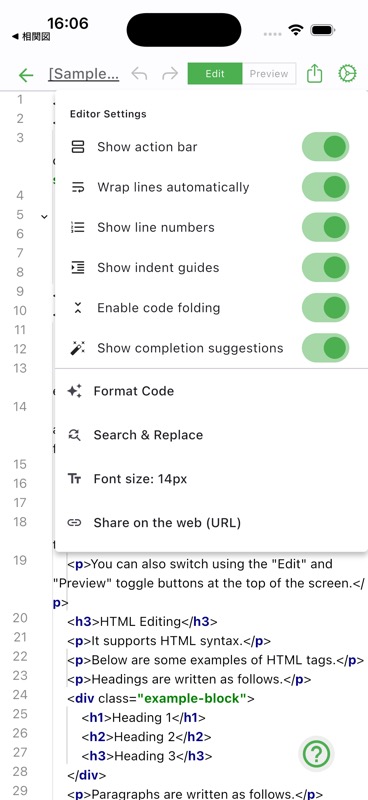
- While in Edit, select the gear icon in the top-right corner and choose Search & Replace in Editor Settings.
- Enter the text to find and move to the previous or next match. Use the Replace icon to open the replacement field, enter the new text, and choose Replace or Replace All.
Format HTML and adjust how lines are displayed
- Open the gear menu in the editor and select Format Code to tidy up indentation.
- Use the word wrap and line number settings to adjust how the code is displayed.
Share the HTML page by URL
- Open the gear menu in the top-right corner and choose Share on the web (URL).
- Copy the generated URL and send it to the recipient. The link shows the page as it was when the URL was created.
A shared URL cannot be revoked. Check what it contains before sending it.
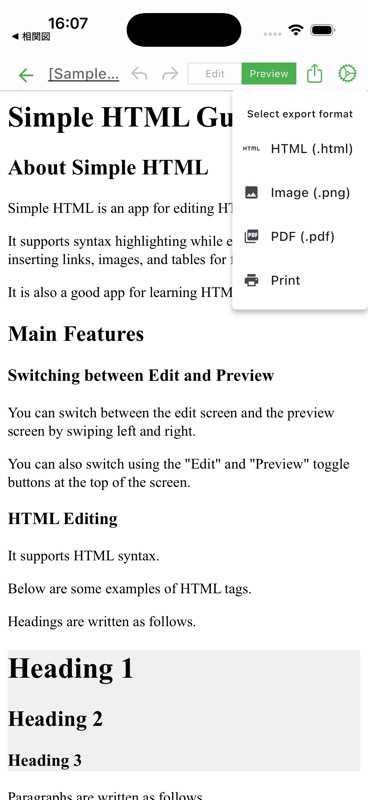
Export a page as HTML, an image, or PDF
- Select the share icon at the top of the screen. Choose HTML (.html) to reopen the file in a browser or edit it later.
- On a phone, choose PNG or PDF to preserve the page’s appearance.
Acquisti
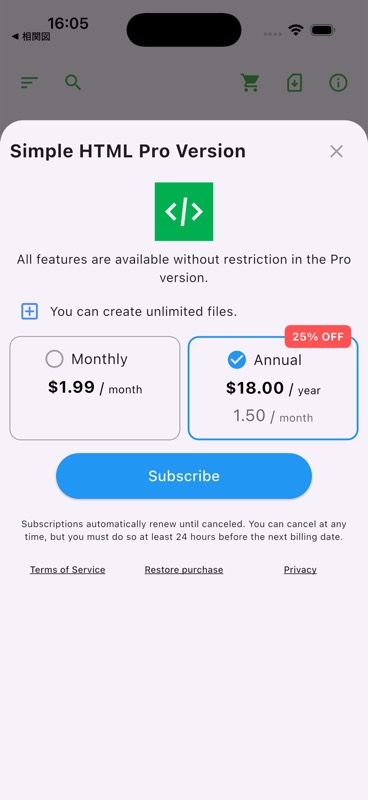
Cumprà un pianu à pagamentu
- Sceglite l'icona di u carrettu in a lista di i fugliali.
- Verificate i piani è i prezzi nant'à u screnu di compra, po sceglite u pianu chì vulete cumprà.
Ristabilisce una compra
- S'è vo avete fattu a compra in un magazinu d'applicazioni, cunnettitevi cù u contu di u magazinu chì avete adupratu per cumprà u pianu.
- Aprite u screnu di compra in l'applicazione, sceglite «Ristabilisce e compre» è verificate u risultatu.
Gestisce una compra o un abbunamentu
- S'è u menù d'infurmazione di a lista di i fugliali prupone un'opzione per gestisce e compre, apritela.
- Aduprate u magazinu o u serviziu induve avete compru u pianu per cunsultà o annullà u vostru abbunamentu.
Contu à pagamentu
Ligà a vostra compra à un contu Google
- Cunnettitevi à u vostru contu Google nant'à u dispusitivu induve avete una compra attiva.
- S'è l'opzione per ligà a vostra compra à un contu Google apparisce in u menù, sceglitela è cunfirmate u contu.
- Per aduprà u vostru pianu à pagamentu nant'à un altru dispusitivu cumpatibile, cunnettitevi cù u contu Google ligatu.
Cambià contu Google
- Verificate chì contu Google hè attivu in u menù d'infurmazione di a lista di i fugliali.
- S'è l'opzione di scunnessione hè dispunibule, sceglitela, po aprite Google Drive è cunnettitevi à u contu chì vulete aduprà.
Nant'à un altru dispusitivu, aduprate u contu assuciatu à a compra o à i fugliali di Drive à i quali vulete accede.