Lista di i fugliali
Create a sequence diagram file
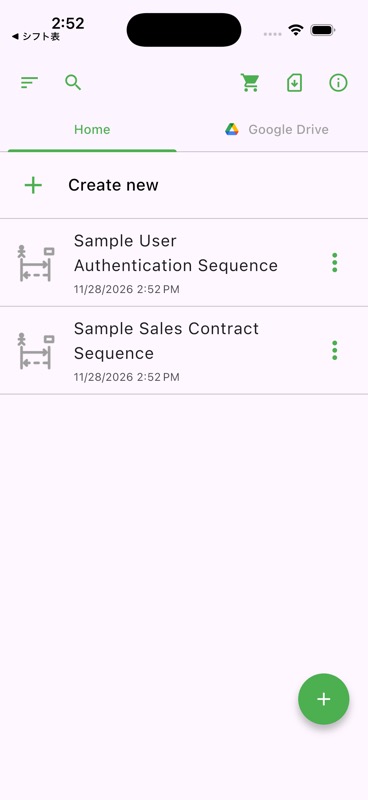
- Select + Create new in the file list.
- Enter a name and select OK to open the sequence diagram editor.
Cambià l’ordine di i fugliali
- Aduprà u cumandu d’urdinamentu in cima à a lista di i fugliali. Nant’à un schermu cumpattu, apre u menu d’urdinamentu.
- Sceglie d’urdinà per data di mudificazione o per nome di fugliale.
Search for a file by name
- Open Home or Google Drive, depending on where the file is stored, and select the Search icon.
- Enter part of the name in Search by file name. Select Close to see the full list again.
Duplicà un fugliale
- Apre u menu à trè punti di u fugliale è selezziunà «Duplicà».
- Apre a copia aghjunta à a lista per mudificalla mantenendu l’uriginale.
Sguassà un fugliale
- Apre u menu à trè punti di u fugliale è selezziunà «Sguassà».
- Verificà u messagiu di cunferma è selezziunà «OK».
Per un fugliale spartutu cun tè, u menu pò prupone un’opzione per caccià a spartera.
Rinuminà un fugliale
- Apri u menù à trè punti di u schedariu è selezziuneghja «Rinumà».
- Inserisci u novu nome è cunfirmà.
Ci vole u permessu di mudificazione per rinumà un schedariu di Google Drive spartutu cun tè.
Import a Mermaid diagram
- Select Import in the file list and select OK to open the file picker.
- Choose a Mermaid file (.mermaid or .mmd), then open it from the file list.
Salvà in Google Drive
- Scegli Google Drive in a lista di i schedarii è seguita l'istruzzioni per cunnette u to contu Google.
- Crea un novu schedariu da a lista di Google Drive. S'è l'opzione hè dispunibule, poi dinù spustà un schedariu lucale in Google Drive da u so menù à trè punti.
Per apre u schedariu nant'à un altru dispusitivu, cunnetti u contu Google chì ai adupratu per salvallu.
Spustà i schedarii trà u dispusitivu è Google Drive
- In l'app installata, cunnetti u to contu Google è apri u menù à trè punti di u schedariu.
- Scegli «Spustà in Google Drive» o «Spustà in Accolta», secondu u locu induve u schedariu hè salvatu, è cunfirmà.
Mudificazione di i fugliali
Describe participants and their messages to create a sequence diagram
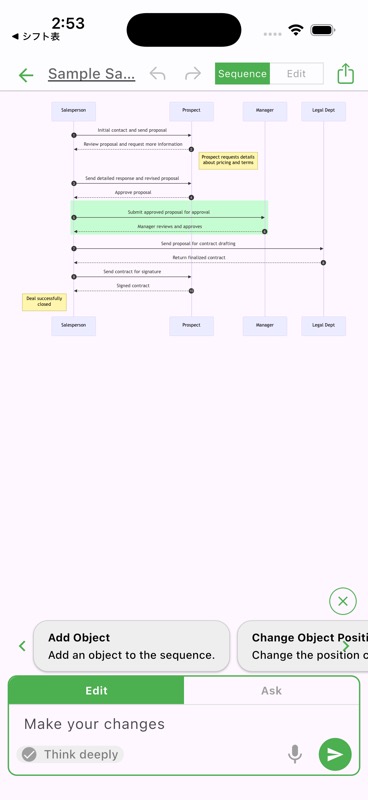
- Open Sequence at the top, tap the input field at the bottom, and choose Edit.
- Describe the participants and messages in order. For example, “The customer sends an order to the store. The store checks stock with the warehouse, then confirms the order to the customer.” Select Send.
- Review who sends each message and check the direction and order of the arrows.
Ask AI about the sequence diagram
- On Sequence, tap the input field at the bottom and choose Ask.
- Send a question such as “Who does the store contact after checking stock?” and read the reply in the chat window.
Edit participants and messages in Mermaid
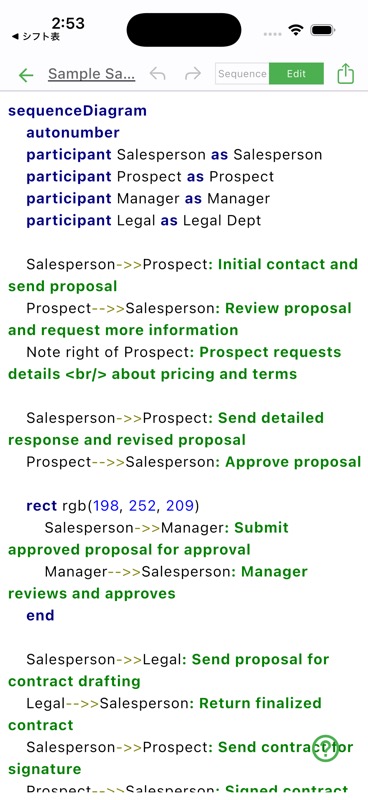
- Choose Edit at the top to open the Mermaid source.
- Update participant names, message text, or message order. Switch back to Sequence to check the diagram.
Export the diagram as an image, Mermaid, or HTML
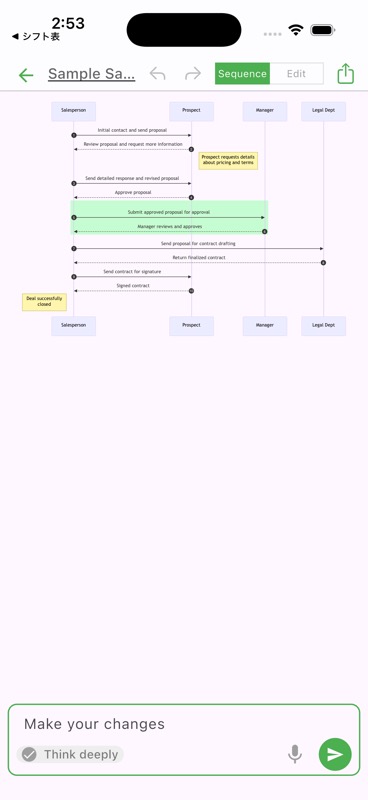
- Select the share icon in the top-right corner of the editor.
- Choose an image to place the diagram in another document, Mermaid (.mermaid) to edit the source later, or HTML to open the file in a browser.
Acquisti
Cumprà un pianu à pagamentu
- Sceglite l'icona di u carrettu in a lista di i fugliali.
- Verificate i piani è i prezzi nant'à u screnu di compra, po sceglite u pianu chì vulete cumprà.
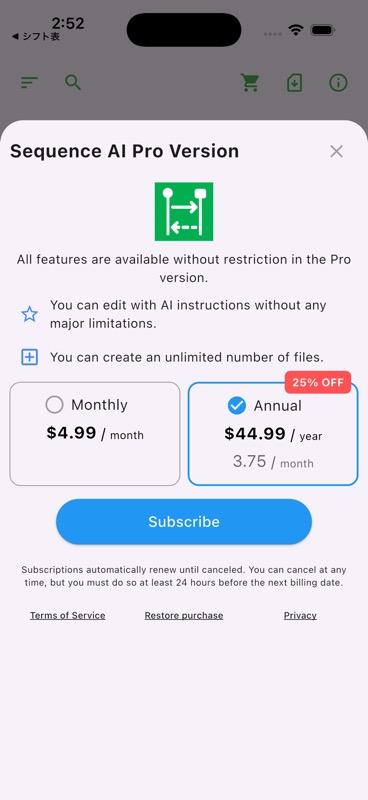
Ristabilisce una compra
- S'è vo avete fattu a compra in un magazinu d'applicazioni, cunnettitevi cù u contu di u magazinu chì avete adupratu per cumprà u pianu.
- Aprite u screnu di compra in l'applicazione, sceglite «Ristabilisce e compre» è verificate u risultatu.
Gestisce una compra o un abbunamentu
- S'è u menù d'infurmazione di a lista di i fugliali prupone un'opzione per gestisce e compre, apritela.
- Aduprate u magazinu o u serviziu induve avete compru u pianu per cunsultà o annullà u vostru abbunamentu.
Contu à pagamentu
Ligà a vostra compra à un contu Google
- Cunnettitevi à u vostru contu Google nant'à u dispusitivu induve avete una compra attiva.
- S'è l'opzione per ligà a vostra compra à un contu Google apparisce in u menù, sceglitela è cunfirmate u contu.
- Per aduprà u vostru pianu à pagamentu nant'à un altru dispusitivu cumpatibile, cunnettitevi cù u contu Google ligatu.
Cambià contu Google
- Verificate chì contu Google hè attivu in u menù d'infurmazione di a lista di i fugliali.
- S'è l'opzione di scunnessione hè dispunibule, sceglitela, po aprite Google Drive è cunnettitevi à u contu chì vulete aduprà.
Nant'à un altru dispusitivu, aduprate u contu assuciatu à a compra o à i fugliali di Drive à i quali vulete accede.