Uhlu lwamafayela
Create a sequence diagram file
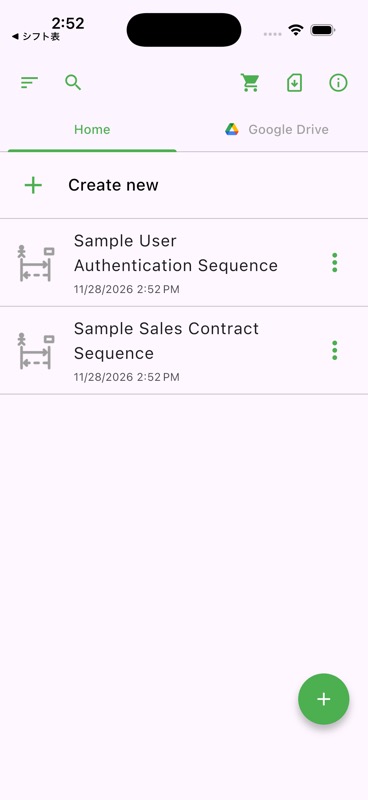
- Select + Create new in the file list.
- Enter a name and select OK to open the sequence diagram editor.
Shintsha indlela yokuhlela amafayela ngokulandelana
- Sebenzisa isilawuli sokuhlela esingenhla kohlu lwamafayela. Esikrinini esincane, vula imenyu yokuhlela ngokulandelana.
- Khetha ukuhlela ngokosuku lokugcina lokulungiswa noma ngegama lefayela.
Search for a file by name
- Open Home or Google Drive, depending on where the file is stored, and select the Search icon.
- Enter part of the name in Search by file name. Select Close to see the full list again.
Yenza ikhophi yefayela
- Vula imenyu yamachashazi amathathu yefayela bese ukhetha okuthi Yenza ikhophi.
- Vula ikhophi engezwe ohlwini ukuze uyihlele ngenkathi ugcina ifayela loqobo.
Susa ifayela
- Vula imenyu yamachashazi amathathu yefayela bese ukhetha okuthi Susa.
- Hlola umlayezo wokuqinisekisa bese ukhetha okuthi OK.
Efayeleni elabelwe nawe, imenyu ingase ibe nenketho yokususa ukwabelana.
Qamba kabusha ifayela
- Vula imenyu yamachashazi amathathu yefayela bese ukhetha Qamba kabusha.
- Faka igama elisha bese uqinisekisa.
Udinga imvume yokuhlela ukuze uqambe kabusha ifayela le-Google Drive okwabelwane ngalo nawe.
Import a Mermaid diagram
- Select Import in the file list and select OK to open the file picker.
- Choose a Mermaid file (.mermaid or .mmd), then open it from the file list.
Londoloza ku-Google Drive
- Khetha i-Google Drive ohlwini lwamafayela bese ulandela imiyalelo ukuze uxhume i-akhawunti yakho ye-Google.
- Dala ifayela elisha ohlwini lwe-Google Drive. Uma le nketho itholakala, ungahambisa nefayela eligcinwe kudivayisi yakho liye ku-Google Drive usebenzisa imenyu yalo yamachashazi amathathu.
Ukuvula ifayela kwenye idivayisi, xhuma i-akhawunti ye-Google oyisebenzise ukulilondoloza.
Hambisa amafayela phakathi kwedivayisi yakho ne-Google Drive
- Ohlelweni lokusebenza olufakiwe, xhuma i-akhawunti yakho ye-Google bese uvula imenyu yamachashazi amathathu yefayela.
- Khetha Hambisa ku-Google Drive noma Hambisa Ekhaya, kuye ngokuthi ifayela lilondolozwe kuphi, bese uqinisekisa.
Ukuhlela amafayela
Describe participants and their messages to create a sequence diagram
- Open Sequence at the top, tap the input field at the bottom, and choose Edit.
- Describe the participants and messages in order. For example, “The customer sends an order to the store. The store checks stock with the warehouse, then confirms the order to the customer.” Select Send.
- Review who sends each message and check the direction and order of the arrows.
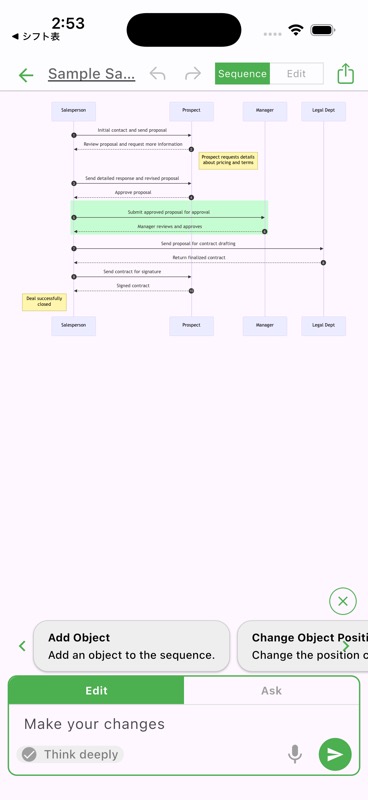
Ask AI about the sequence diagram
- On Sequence, tap the input field at the bottom and choose Ask.
- Send a question such as “Who does the store contact after checking stock?” and read the reply in the chat window.
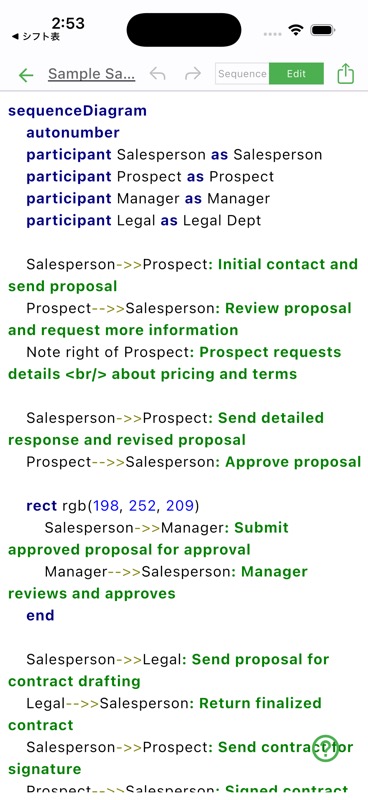
Edit participants and messages in Mermaid
- Choose Edit at the top to open the Mermaid source.
- Update participant names, message text, or message order. Switch back to Sequence to check the diagram.
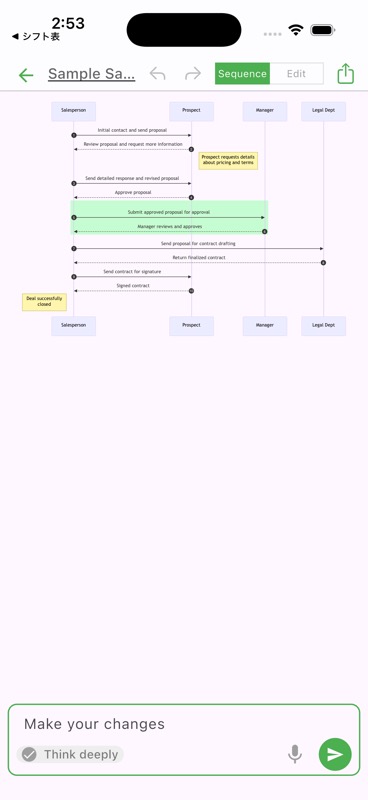
Export the diagram as an image, Mermaid, or HTML
- Select the share icon in the top-right corner of the editor.
- Choose an image to place the diagram in another document, Mermaid (.mermaid) to edit the source later, or HTML to open the file in a browser.
Ukuthenga
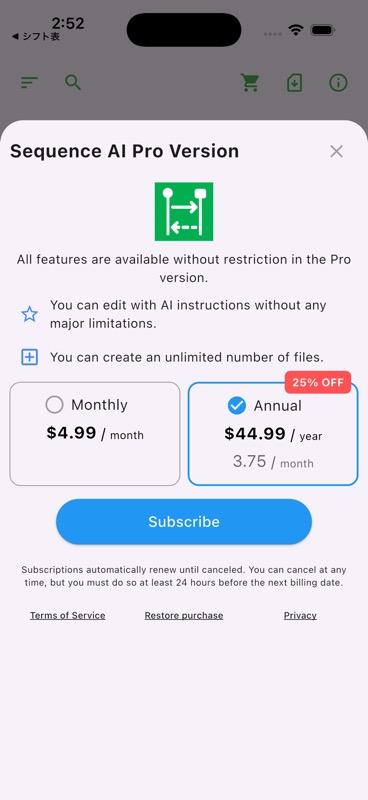
Thenga uhlelo olukhokhelwayo
- Khetha isithonjana senqola yokuthenga ohlwini lwamafayela.
- Hlola izinhlelo namanani azo esikrinini sokuthenga, bese ukhetha uhlelo ofuna ukuluthenga.
Buyisela okuthengile
- Uma uthenge uhlelo esitolo sezinhlelo zokusebenza, ngena nge-akhawunti yesitolo owayisebenzisa ukuthenga uhlelo.
- Vula isikrini sokuthenga kuhlelo lokusebenza, khetha okuthi “Buyisela okuthengile”, bese uhlola umphumela.
Phatha okuthengile noma ukubhalisa kwakho
- Uma imenyu yolwazi ohlwini lwamafayela inenketho yokuphatha okuthengile, yivule.
- Sebenzisa isitolo noma isevisi owathenga kuyo uhlelo ukuze uhlole noma ukhansele ukubhalisa kwakho.
I-akhawunti ekhokhelwayo
Xhumanisa okuthengile ne-akhawunti ye-Google
- Ngena ku-akhawunti yakho ye-Google kudivayisi lapho okuthengile kusasebenza khona.
- Uma inketho yokuxhumanisa okuthengile ne-akhawunti ye-Google ivela kumenyu, yikhethe bese uqinisekisa i-akhawunti.
- Ukuze usebenzise uhlelo lwakho olukhokhelwayo kwenye idivayisi esekelwayo, ngena nge-akhawunti ye-Google exhunywe kokuthengile.
Shintsha i-akhawunti ye-Google
- Hlola ukuthi iyiphi i-akhawunti ye-Google esetshenziswayo njengamanje kumenyu yolwazi yohlu lwamafayela.
- Uma inketho yokuphuma ku-akhawunti ikhona, yikhethe, bese uvula i-Google Drive ungene ku-akhawunti ofuna ukuyisebenzisa.
Kwenye idivayisi, sebenzisa i-akhawunti exhunywe kokuthengile noma kumafayela e-Drive ofuna ukuwafinyelela.