Rondedzero yemafaira
Create an outline from text with AI
- In the file list, select Text input under Create new with AI.
- Paste meeting notes or enter a request such as “Organize these notes into decisions, open questions, and next steps,” then select OK.
- Review the generated headings and child topics against the original text.
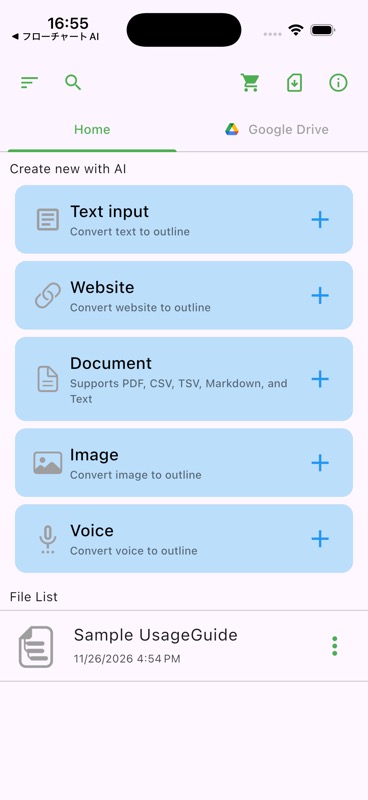
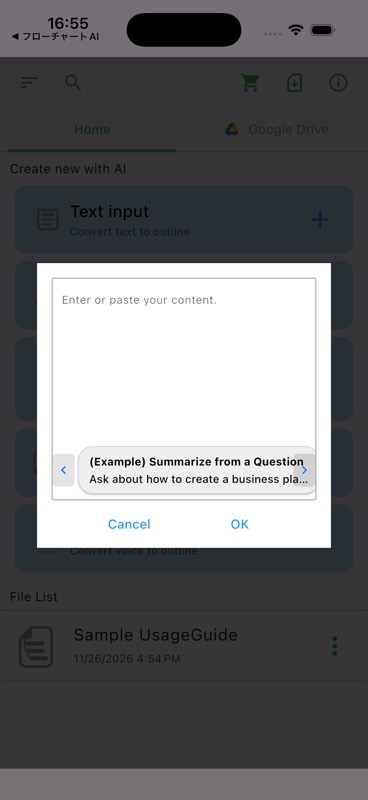
Create an outline from a document, image, website, or voice input
- Under Create new with AI in the file list, choose Document, Image, Website, or Voice.
- Select a document or image, enter the URL, or provide voice input. Compare the generated headings and key points with the source.
Chinja marongerwo emafaira
- Shandisa sarudzo yekuronga iri pamusoro perondedzero yemafaira. Pachidzitiro chidiki, vhura menyu yekuronga.
- Sarudza kuronga maererano nezuva rekugadziriswa kana zita refaira.
Search for a file by name
- Open Home or Google Drive, depending on where the file is stored, and select the Search icon.
- Enter part of the name in Search by file name. Select Close to see the full list again.
Gadzira kopi yefaira
- Vhura menyu yemadotsi matatu yefaira uye sarudza Gadzira kopi.
- Vhura kopi yawedzerwa murondedzero kuti uigadzirise uchichengeta faira rekutanga.
Dzima faira
- Vhura menyu yemadotsi matatu yefaira uye sarudza Dzima.
- Tarisa meseji yekusimbisa uye sarudza OK.
Pafaira rawakagoverwa, menyu inogona kuva nesarudzo yekubvisa kugoverwa kwaro.
Chinja zita refaira
- Vhura menyu yemadotsi matatu yefaira wosarudza Chinja zita.
- Isa zita idzva wobva wasimbisa.
Unoda mvumo yekugadzirisa kuti uchinje zita refaira reGoogle Drive rakagoverwa kwauri.
Import an outline file
- Select Import in the file list and select OK to open the file picker.
- Choose an outline file (.bmind). You can also import a JSON file containing data in the same format.
Save an AI-generated file to Google Drive
- Choose Google Drive in the file list and sign in to your Google Account if prompted.
- With the Google Drive tab open, create a file using Create new with AI. To move a local file, select Move to Google Drive from its three-dot menu if the option is available.
Kuti uvhure faira pane mumwe mudziyo, batanidza akaundi yeGoogle yawakashandisa kurichengeta.
Tamisa mafaira pakati pemudziyo wako neGoogle Drive
- Muapu yakaiswa pamudziyo, batanidza akaundi yako yeGoogle wovhura menyu yemadotsi matatu yefaira.
- Sarudza Tamisa kuGoogle Drive kana Tamisa kuHOME, zvichienderana nekwakachengetwa faira, wobva wasimbisa.
Kugadzirisa mafaira
Reorganize an outline with AI
- If a topic is selected, tap an empty area. Tap the input field at the bottom and choose Edit.
- Name the topic and the change you want, such as “Group the Next steps section under headings for each owner,” then select Send.
- Review the updated headings and levels. You can edit individual topics directly.
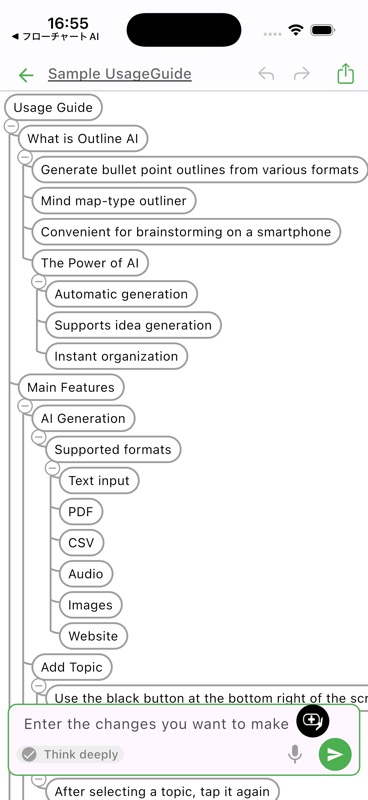
Ask AI about the outline
- Tap the input field at the bottom of the editor and choose Ask.
- Send a question such as “What work is still open?” and check the reply in the chat window.
Add topics at the same level or one level below
- Tap a topic to select it. Use the add buttons at the bottom to insert a topic at the same level or add a child topic below it.
- Type the new topic’s text. To change an existing topic, select it and tap it again.
When the root topic is selected, you can add a child topic.
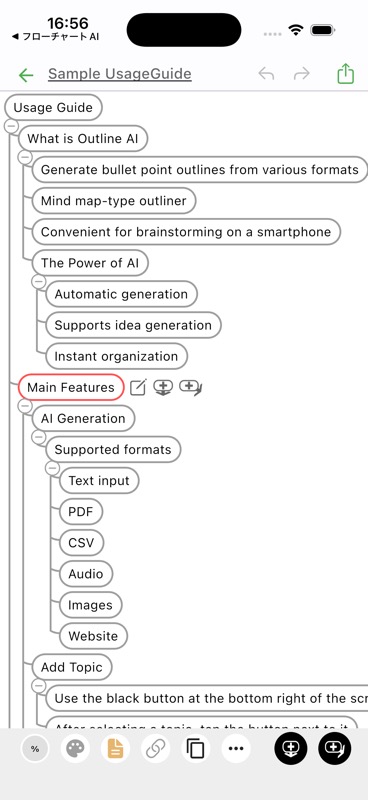
Collapse and expand child topics
- Tap the minus sign next to a topic with children to collapse that branch.
- Tap the plus sign to expand it again. Collapse detailed branches when you want an overview of the headings.
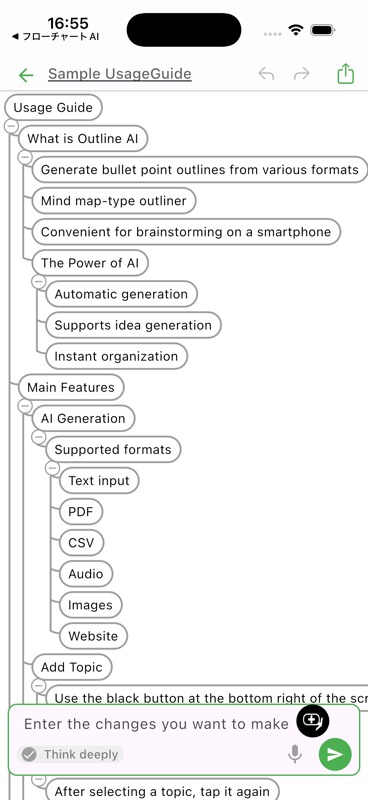
Reorder topics or move them to another level
- Press and hold the topic you want to move, then drag it.
- Check the drop position before releasing. You can reorder topics or move a topic under a different parent.
Add a note to a topic
- Select the topic and choose Note in the bottom toolbar. On a narrow screen it may be in the three-dot menu.
- Enter the details. You can view the note later using the note icon next to that topic.
Export an outline as an image, Markdown, Excel, or an app file
- Select the share icon in the top-right corner.
- Choose an image to preserve the appearance, Markdown to reuse the text, or Excel for spreadsheets. Choose Outline AI (.bmind) to reimport it for editing.
Export formats marked with a lock require Pro.
Kutenga
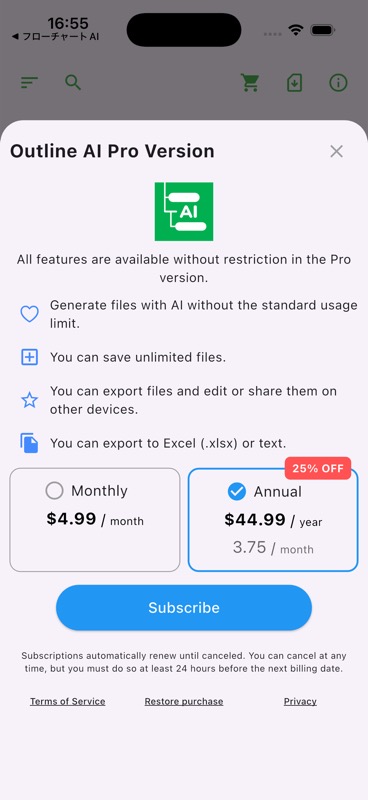
Tenga chirongwa chinobhadharwa
- Sarudza chiratidzo chengoro yekutengera murondedzero yemafaira.
- Ongorora zvirongwa nemitengo pachidzitiro chekutenga, wobva wasarudza chirongwa chaunoda kutenga.
Dzosera zvawakatenga
- Kana wakatenga muchitoro chemaapuro, pinda uchishandisa akaundi yechitoro yawakashandisa kutenga chirongwa.
- Vhura chidzitiro chekutenga muapuro, sarudza “Dzosera zvawakatenga”, wotarisa zvabuda.
Tonga zvawakatenga kana kunyoreswa kwako
- Kana menyu yeruzivo murondedzero yemafaira iine sarudzo yekutonga zvawakatenga, ivhure.
- Shandisa chitoro kana sevhisi yawakatengera chirongwa kuti uongorore kana kukanzura kunyoreswa kwako.
Akaundi inobhadharirwa
Batanidza zvawakatenga neakaundi yeGoogle
- Pinda muakaundi yako yeGoogle pamudziyo une zvawakatenga zvichiri kushanda.
- Kana sarudzo yekubatanidza zvawakatenga neakaundi yeGoogle ikaonekwa mumenu, isarudze uye simbisa akaundi yacho.
- Kuti ushandise chirongwa chako chinobhadharwa pane mumwe mudziyo unotsigirwa, pinda neakaundi yeGoogle yakabatanidzwa.
Chinja maakaundi eGoogle
- Tarisa kuti iakaundi ipi yeGoogle iri kushandiswa mumenu yeruzivo murondedzero yemafaira.
- Kana sarudzo yekubuda muakaundi iripo, isarudze, wobva wavhura Google Drive uye wopinda muakaundi yaunoda kushandisa.
Pane mumwe mudziyo, shandisa akaundi yakabatana nezvawakatenga kana nemafaira eDrive aunoda kuwana.