Rondedzero yemafaira
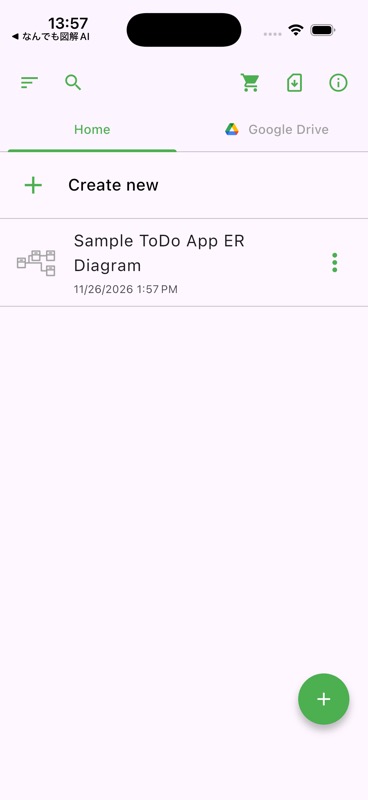
Create a file for an ER diagram
- Select + Create new in the file list and enter a name.
- Select OK to open the editor.
Chinja marongerwo emafaira
- Shandisa sarudzo yekuronga iri pamusoro perondedzero yemafaira. Pachidzitiro chidiki, vhura menyu yekuronga.
- Sarudza kuronga maererano nezuva rekugadziriswa kana zita refaira.
Search for a file by name
- Open Home or Google Drive, depending on where the file is stored, and select the Search icon.
- Enter part of the name in Search by file name. Select Close to see the full list again.
Gadzira kopi yefaira
- Vhura menyu yemadotsi matatu yefaira uye sarudza Gadzira kopi.
- Vhura kopi yawedzerwa murondedzero kuti uigadzirise uchichengeta faira rekutanga.
Dzima faira
- Vhura menyu yemadotsi matatu yefaira uye sarudza Dzima.
- Tarisa meseji yekusimbisa uye sarudza OK.
Pafaira rawakagoverwa, menyu inogona kuva nesarudzo yekubvisa kugoverwa kwaro.
Chinja zita refaira
- Vhura menyu yemadotsi matatu yefaira wosarudza Chinja zita.
- Isa zita idzva wobva wasimbisa.
Unoda mvumo yekugadzirisa kuti uchinje zita refaira reGoogle Drive rakagoverwa kwauri.
Import a Mermaid diagram
- Select Import in the file list and select OK to open the file picker.
- Choose a Mermaid file (.mermaid or .mmd), then open it from the file list.
Chengeta muGoogle Drive
- Sarudza Google Drive murondedzero yemafaira wotevera mirayiridzo yekubatanidza akaundi yako yeGoogle.
- Gadzira faira idzva kubva murondedzero yeGoogle Drive. Kana sarudzo yacho iripo, unogonawo kutamisa faira riri pamudziyo kuGoogle Drive uchishandisa menyu yaro yemadotsi matatu.
Kuti uvhure faira pane mumwe mudziyo, batanidza akaundi yeGoogle yawakashandisa kurichengeta.
Tamisa mafaira pakati pemudziyo wako neGoogle Drive
- Muapu yakaiswa pamudziyo, batanidza akaundi yako yeGoogle wovhura menyu yemadotsi matatu yefaira.
- Sarudza Tamisa kuGoogle Drive kana Tamisa kuHOME, zvichienderana nekwakachengetwa faira, wobva wasimbisa.
Kugadzirisa mafaira
Describe tables and relationships to generate an ER diagram
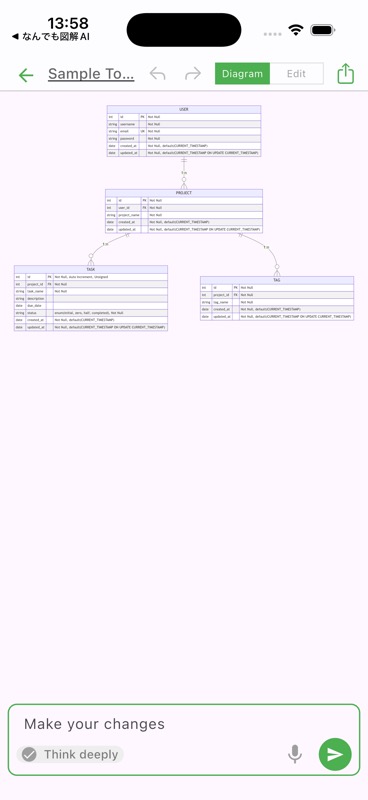
- Choose Diagram at the top of the editor, tap the field at the bottom, and choose Edit.
- Send a request such as “Create Customer and Order tables. One customer can have many orders. Give each table an ID and have each order reference its customer.”
- Check the tables, keys, and relationships, such as one-to-many. Use the same field to request changes.
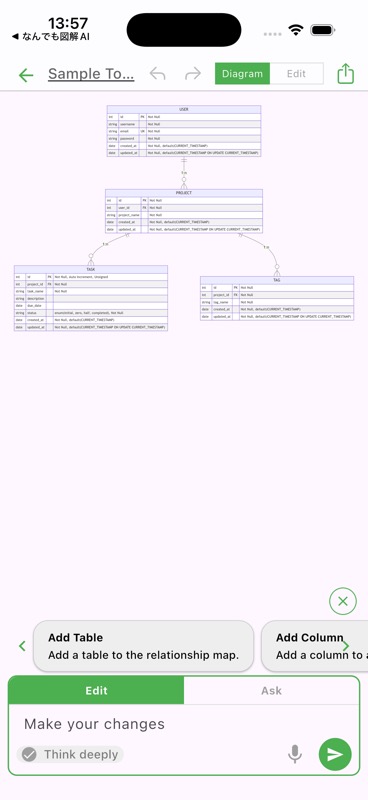
Ask AI a question about the diagram
- Choose Diagram, tap the input field at the bottom, then choose Ask.
- Send a question such as “Explain the relationships in this diagram” and read the reply in the chat window.
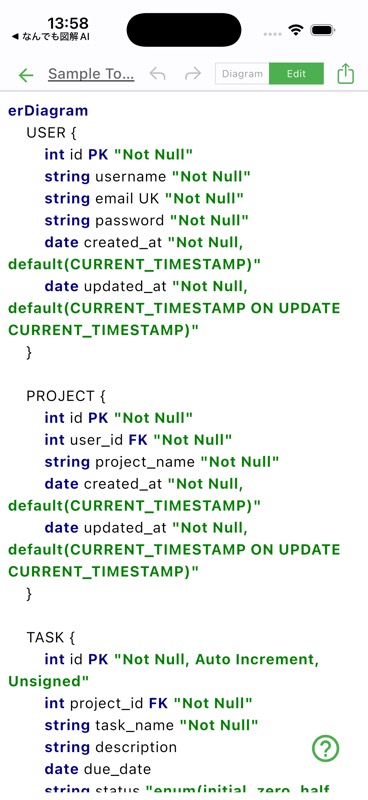
Edit attributes and relationships in Mermaid
- Choose Edit at the top of the editor to open the ER diagram’s Mermaid source.
- After adding attributes or changing a relationship, switch to Diagram to check the result.
Govera zviri mukati uchishandisa URL
- Vhura menyu yekutumira kunze mupepeti wosarudza sarudzo yekugovera pawebhu.
- Kopa URL yagadzirwa woitumira kuvanhu vaunoda kugoverana navo.
URL ine zviri mukati sezvazvaive panguva yakagadzirwa chinongedzo. Pane miganhu pamhando nehuwandu hwezvinhu zvaunogona kugovera.
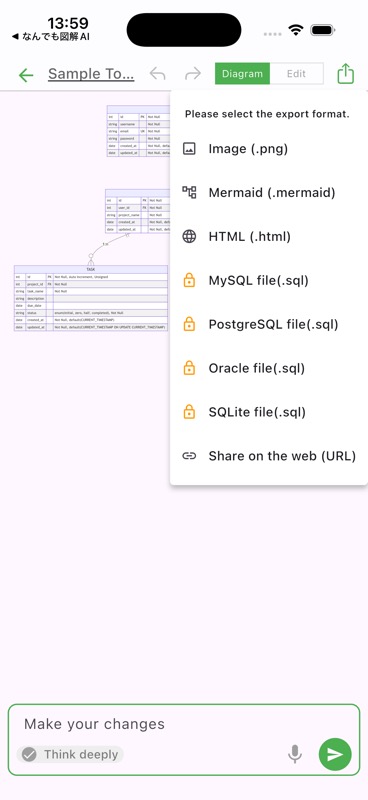
Export the diagram as an image, Mermaid, or HTML
- Select the share icon in the top-right corner of the editor.
- Choose an image to place the diagram in another document, Mermaid (.mermaid) to edit the source later, or HTML to open the file in a browser.
Export an ER diagram as a SQL file
- Select the share icon in the top-right corner of the editor.
- Choose the SQL export for your database: MySQL, PostgreSQL, Oracle, or SQLite.
- Before using the exported SQL, review the data types, primary keys, and foreign keys.
SQL export requires Pro.
Kutenga
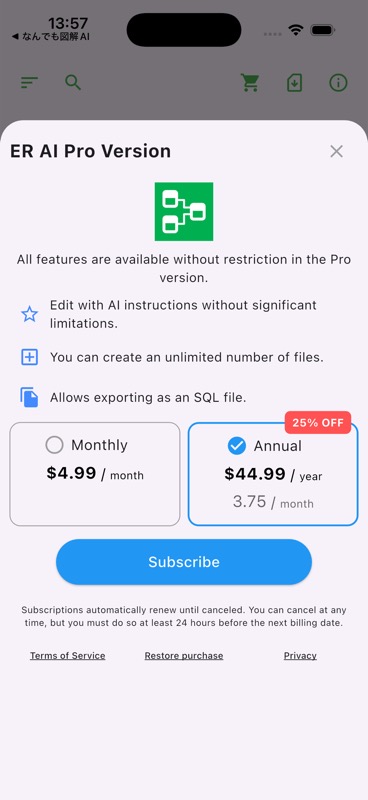
Tenga chirongwa chinobhadharwa
- Sarudza chiratidzo chengoro yekutengera murondedzero yemafaira.
- Ongorora zvirongwa nemitengo pachidzitiro chekutenga, wobva wasarudza chirongwa chaunoda kutenga.
Dzosera zvawakatenga
- Kana wakatenga muchitoro chemaapuro, pinda uchishandisa akaundi yechitoro yawakashandisa kutenga chirongwa.
- Vhura chidzitiro chekutenga muapuro, sarudza “Dzosera zvawakatenga”, wotarisa zvabuda.
Tonga zvawakatenga kana kunyoreswa kwako
- Kana menyu yeruzivo murondedzero yemafaira iine sarudzo yekutonga zvawakatenga, ivhure.
- Shandisa chitoro kana sevhisi yawakatengera chirongwa kuti uongorore kana kukanzura kunyoreswa kwako.
Akaundi inobhadharirwa
Batanidza zvawakatenga neakaundi yeGoogle
- Pinda muakaundi yako yeGoogle pamudziyo une zvawakatenga zvichiri kushanda.
- Kana sarudzo yekubatanidza zvawakatenga neakaundi yeGoogle ikaonekwa mumenu, isarudze uye simbisa akaundi yacho.
- Kuti ushandise chirongwa chako chinobhadharwa pane mumwe mudziyo unotsigirwa, pinda neakaundi yeGoogle yakabatanidzwa.
Chinja maakaundi eGoogle
- Tarisa kuti iakaundi ipi yeGoogle iri kushandiswa mumenu yeruzivo murondedzero yemafaira.
- Kana sarudzo yekubuda muakaundi iripo, isarudze, wobva wavhura Google Drive uye wopinda muakaundi yaunoda kushandisa.
Pane mumwe mudziyo, shandisa akaundi yakabatana nezvawakatenga kana nemafaira eDrive aunoda kuwana.