Ndepụta faịlụ
Create a file for an ER diagram
- Select + Create new in the file list and enter a name.
- Select OK to open the editor.
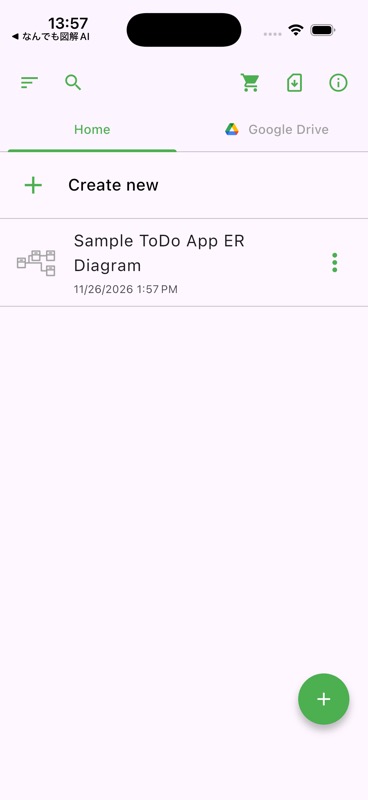
Ịgbanwe usoro nhazi faịlụ
- Jiri njikwa nhazi dị n'elu ndepụta faịlụ. Na obere ihuenyo, mepee menu nhazi.
- Họrọ ịhazi faịlụ site n'ụbọchị e mezigharịrị ha ma ọ bụ aha faịlụ.
Search for a file by name
- Open Home or Google Drive, depending on where the file is stored, and select the Search icon.
- Enter part of the name in Search by file name. Select Close to see the full list again.
Imegharị faịlụ ka ọ bụrụ oyiri
- Mepee menu ntụpọ atọ nke faịlụ ahụ ma họrọ Mepụta oyiri.
- Mepee oyiri agbakwunyere na ndepụta ahụ ka ị dezie ya ma debe faịlụ mbụ.
Ihichapụ faịlụ
- Mepee menu ntụpọ atọ nke faịlụ ahụ ma họrọ Hichapụ.
- Lelee ozi nkwenye ahụ ma họrọ OK.
Maka faịlụ e kesara gị, menu ahụ nwere ike igosi nhọrọ iwepụ nkekọrịta ahụ.
Ịgbanwe aha faịlụ
- Mepee menu ntụpọ atọ nke faịlụ ahụ, họrọ Gbanwee Aha.
- Tinye aha ọhụrụ ahụ ma kwado ya.
Ị ga-enwerịrị ikike idezi iji gbanwee aha faịlụ Google Drive e kesara gị.
Import a Mermaid diagram
- Select Import in the file list and select OK to open the file picker.
- Choose a Mermaid file (.mermaid or .mmd), then open it from the file list.
Chekwaa na Google Drive
- Họrọ Google Drive na ndepụta faịlụ ma soro ntụziaka iji jikọọ akaụntụ Google gị.
- Mepụta faịlụ ọhụrụ site na ndepụta Google Drive. Ọ bụrụ na nhọrọ ahụ dị, ị nwekwara ike ibuga faịlụ dị na ngwaọrụ gị gaa na Google Drive site na menu ntụpọ atọ ya.
Iji mepee faịlụ ahụ na ngwaọrụ ọzọ, jikọọ akaụntụ Google i ji chekwaa ya.
Bugharịa faịlụ n'etiti ngwaọrụ gị na Google Drive
- N'ime ngwa arụnyere na ngwaọrụ gị, jikọọ akaụntụ Google gị ma mepee menu ntụpọ atọ nke faịlụ ahụ.
- Họrọ Bugharịa gaa na Google Drive ma ọ bụ Bugharịa gaa na Ụlọ, dabere n'ebe echekwara faịlụ ahụ, ma kwado ya.
Idezi faịlụ
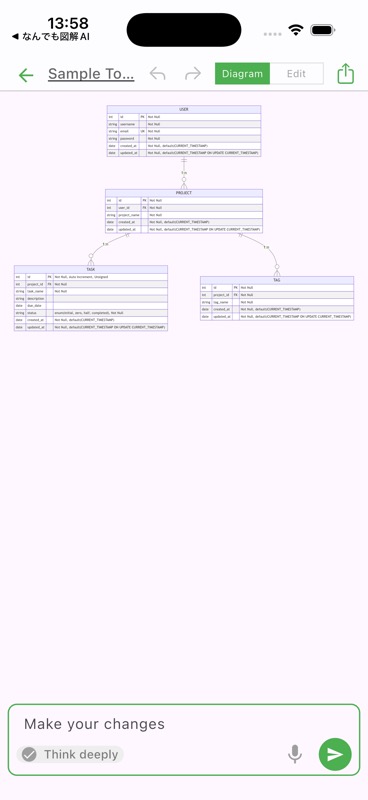
Describe tables and relationships to generate an ER diagram
- Choose Diagram at the top of the editor, tap the field at the bottom, and choose Edit.
- Send a request such as “Create Customer and Order tables. One customer can have many orders. Give each table an ID and have each order reference its customer.”
- Check the tables, keys, and relationships, such as one-to-many. Use the same field to request changes.
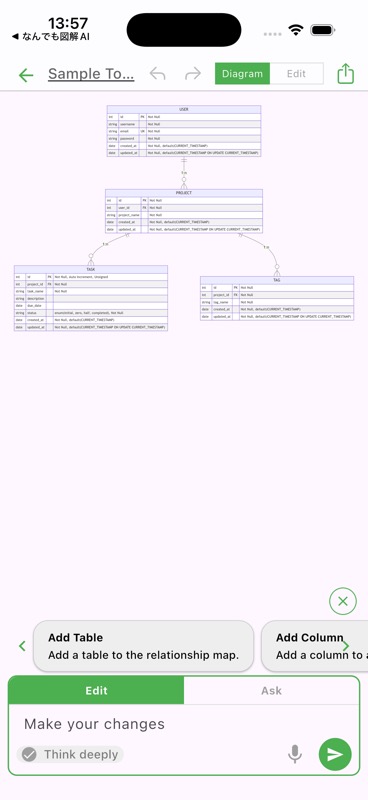
Ask AI a question about the diagram
- Choose Diagram, tap the input field at the bottom, then choose Ask.
- Send a question such as “Explain the relationships in this diagram” and read the reply in the chat window.
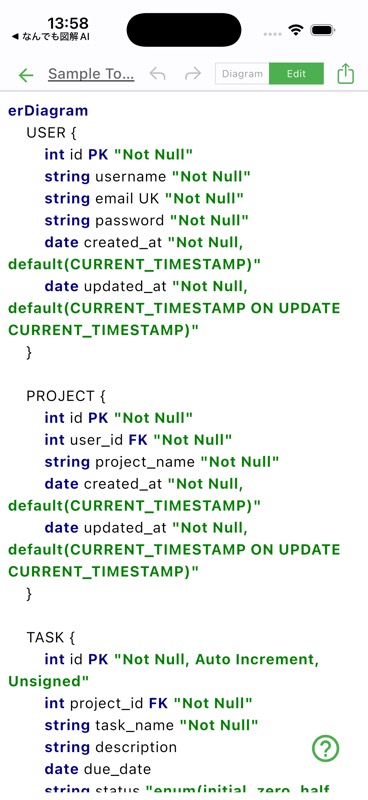
Edit attributes and relationships in Mermaid
- Choose Edit at the top of the editor to open the ER diagram’s Mermaid source.
- After adding attributes or changing a relationship, switch to Diagram to check the result.
Ịkekọrịta ọdịnaya site na URL
- Mepee menu mbupụ dị na ndezi ma họrọ nhọrọ nkekọrịta site na weebụ.
- Detuo URL e mepụtara ma zigara ya ndị ị chọrọ ịkekọrịta ọdịnaya ahụ na ha.
URL ahụ nwere ọdịnaya dị n'oge e mepụtara njikọ ahụ. E nwere oke n'ụdị na ọnụọgụ ọdịnaya ị nwere ike ịkekọrịta.
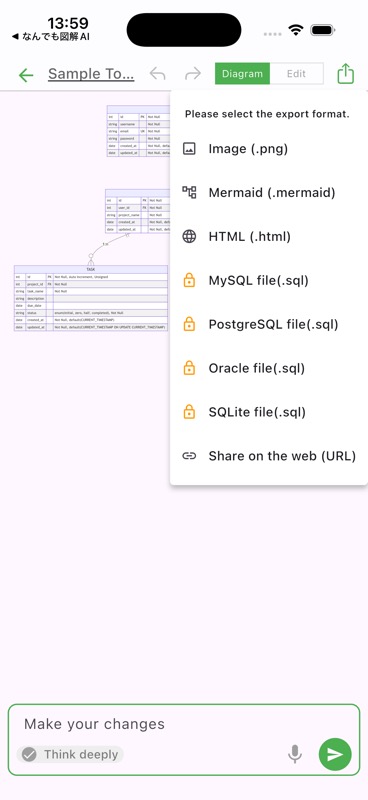
Export the diagram as an image, Mermaid, or HTML
- Select the share icon in the top-right corner of the editor.
- Choose an image to place the diagram in another document, Mermaid (.mermaid) to edit the source later, or HTML to open the file in a browser.
Export an ER diagram as a SQL file
- Select the share icon in the top-right corner of the editor.
- Choose the SQL export for your database: MySQL, PostgreSQL, Oracle, or SQLite.
- Before using the exported SQL, review the data types, primary keys, and foreign keys.
SQL export requires Pro.
Ịzụ ihe
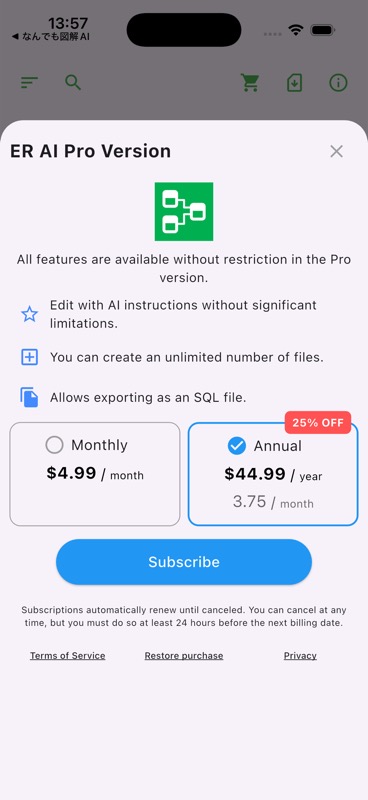
Ịzụta atụmatụ a na-akwụ ụgwọ
- Họrọ akara ngosi ụgbọ ịzụ ahịa na ndepụta faịlụ.
- Lelee atụmatụ na ọnụahịa dị na ihuenyo ịzụta, họrọzie atụmatụ ị chọrọ ịzụta.
Iweghachi ihe a zụtara
- Ọ bụrụ na ị zụtara atụmatụ ahụ n'ụlọ ahịa ngwa, jiri akaụntụ ụlọ ahịa i ji zụta ya banye.
- Mepee ihuenyo ịzụta n'ime ngwa ahụ, họrọ “Weghachi ihe ndị a zụtara”, wee lelee nsonaazụ ya.
Ijikwa ihe a zụtara ma ọ bụ ndenye aha
- Ọ bụrụ na menu ozi dị na ndepụta faịlụ nwere nhọrọ ijikwa ihe a zụtara, mepee ya.
- Jiri ụlọ ahịa ma ọ bụ ọrụ i si zụta atụmatụ ahụ lelee ma ọ bụ kagbuo ndenye aha gị.
Akaụntụ a na-akwụ ụgwọ maka ya
Ijikọ ihe ị zụtara na akaụntụ Google
- Banye n'akaụntụ Google gị na ngwaọrụ ebe ihe ị zụtara ka dị irè.
- Ọ bụrụ na nhọrọ ijikọ ihe ị zụtara na akaụntụ Google pụtara na menu, họrọ ya ma kwado akaụntụ ahụ.
- Iji atụmatụ ị na-akwụ ụgwọ na ngwaọrụ ọzọ a na-akwado, jiri akaụntụ Google ejikọtara banye.
Ịgbanwe akaụntụ Google
- Lelee akaụntụ Google nke na-arụ ọrụ ugbu a na menu ozi dị na ndepụta faịlụ.
- Ọ bụrụ na nhọrọ ịpụ n'akaụntụ dị, họrọ ya, mepee Google Drive, wee banye n'akaụntụ ị chọrọ iji.
Na ngwaọrụ ọzọ, jiri akaụntụ ejikọtara na ihe ị zụtara ma ọ bụ na faịlụ Drive ndị ị chọrọ ịnweta.