Index fasciculorum
Create a tournament bracket
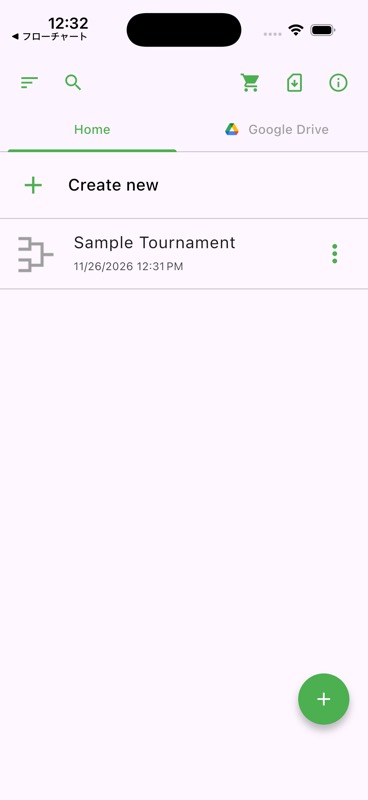
- Select the + Create new row in the file list.
- Enter a name, such as the event name, and select OK to open the bracket.
Ordinem fasciculorum mutare
- Instrumento ordinandi in summo indice fasciculorum utere. Si monitor parvus est, indicem ordinandi aperi.
- Elige utrum secundum diem mutationis an secundum nomen fasciculi ordines.
Search for a file by name
- Open Home or Google Drive, depending on where the file is stored, and select the Search icon.
- Enter part of the name in Search by file name. Select Close to see the full list again.
Fasciculum duplicare
- Indicem trium punctorum fasciculi aperi et «Duplicare» elige.
- Exemplar indici additum aperi ut illud recenseas, originali servato.
Fasciculum delere
- Indicem trium punctorum fasciculi aperi et «Delere» elige.
- Nuntium confirmationis inspice et «OK» elige.
Si fasciculus tecum communicatus est, index optionem communicationis tollendae praebere potest.
Nomen fasciculi mutare
- Aperi fasciculi indicem trium punctorum et elige «Nomen mutare».
- Novum nomen insere et confirma.
Ut nomen fasciculi Google Drive tecum communicati mutes, iure eum emendandi opus est.
Import a tournament bracket
- Select Import in the file list and select OK to open the file picker.
- Choose an iTournament file (.itourn).
In Google Drive servare
- In indice fasciculorum Google Drive elige et praecepta sequere ut rationem tuam Google conectas.
- Novum fasciculum ex indice Google Drive crea. Si optio praesto est, fasciculum in instrumento servatum etiam per eius indicem trium punctorum in Google Drive transferre potes.
Ut fasciculum in alio instrumento aperias, rationem Google qua ad eum servandum usus es conecta.
Fasciculos inter instrumentum tuum et Google Drive transferre
- In applicatione installata rationem tuam Google conecta et indicem trium punctorum fasciculi aperi.
- Pro loco ubi fasciculus servatus est, elige «In Google Drive transferre» vel «Ad domum transferre» et confirma.
Fasciculos recensere
Enter players or teams
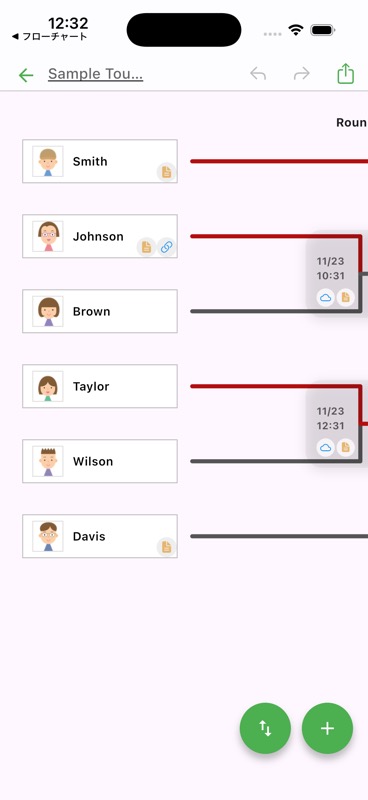
- Select a first-round slot in the bracket to open Team Edit.
- Enter a name and select OK. If you need more slots, use + at the bottom of the editor to expand the bracket.
Swap players or teams in the bracket
- Use the up-and-down arrows at the bottom of the editor to open the team list.
- Select the arrows next to one team, then select the arrows next to the team that should swap places with it.
Record scores and the winner
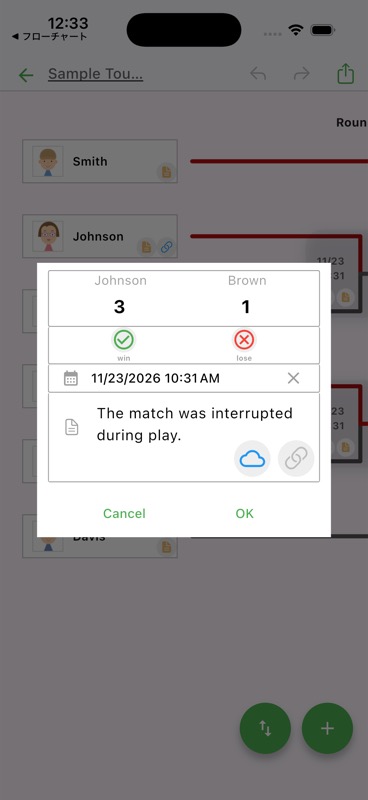
- Once both teams are known, tap the date and score area on the match card in the bracket.
- Enter both scores. Use Win Loss Settings to review or change the winner if needed, then select OK and check the next round.
Export a tournament bracket
- Select Export in the top-right corner of the editor.
- Choose Image (.png) to distribute the bracket, CSV or Excel for analysis, or iTournament (.itourn) to reimport it later.
Export formats marked with a lock require Pro.
Emptiones
Consilium mercede emere
- In indice fasciculorum iconem corbis elige.
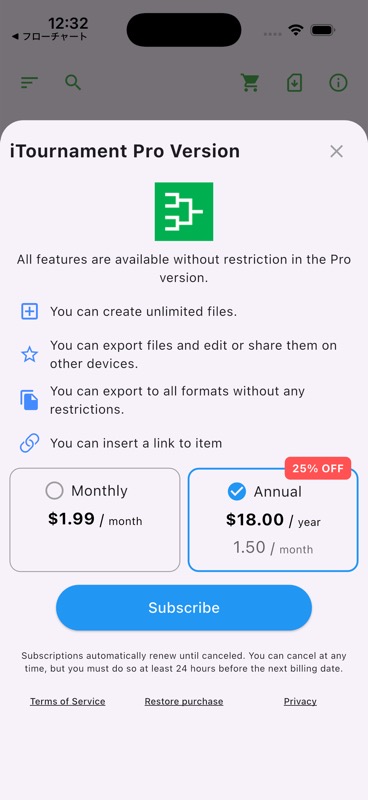
- In pagina emptionis consilia et pretia inspice, deinde consilium quod emere vis elige.
Emptionem restituere
- Si consilium in taberna applicationum emisti, ratione usoris eiusdem tabernae qua ad emendum usus es in adi.
- In applicatione paginam emptionis aperi, «Emptiones restituere» elige et exitum inspice.
Emptionem vel subscriptionem administrare
- Si in tabula informationum indicis fasciculorum optio administrandae emptionis adest, eam aperi.
- Taberna vel servitio quo consilium emisti utere ad subscriptionem inspiciendam vel rescindendam.
Ratio usoris mercede soluta
Emptionem cum ratione Google coniungere
- In instrumento in quo emptio tua adhuc valet, ratione tua Google in adi.
- Si optio emptionis cum ratione Google coniungendae in tabula apparet, eam elige et rationem confirma.
- Ut consilio mercede empto in alio instrumento quod sustinetur utaris, ratione Google coniuncta in adi.
Rationem Google mutare
- In tabula informationum indicis fasciculorum inspice quae ratio Google activa sit.
- Si optio exeundi adest, eam elige; deinde Google Drive aperi et ratione qua uti vis in adi.
In alio instrumento ratione utere quae cum emptione vel cum fasciculis Drive quos adire vis coniuncta est.