Uluhlu lweefayile
Create a diagram from text with AI
- In the file list, select Text input under Create new with AI.
- Paste the source text or describe the diagram you need, such as “Make a flowchart showing the steps for onboarding a new employee,” then select OK.
- Review the resulting diagram. You can ask for a format that fits the task, such as a flowchart for a process or a mind map for organizing ideas.
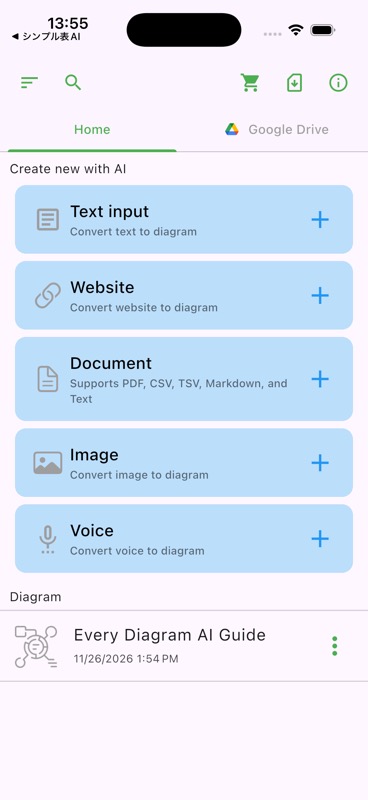
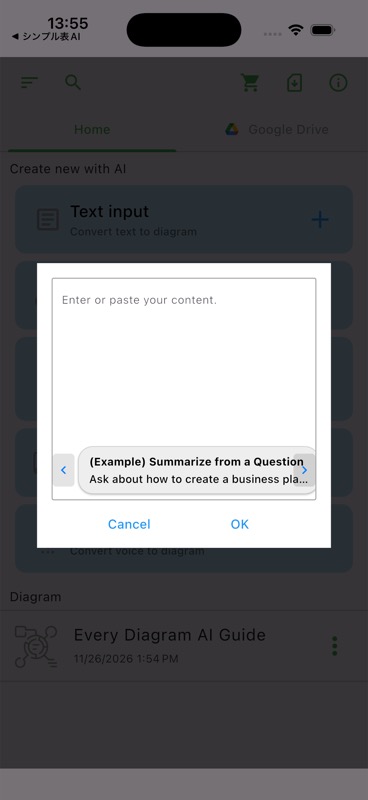
Create a diagram from a document, image, website, or voice input
- Under Create new with AI in the file list, choose Document, Image, Website, or Voice.
- Select the file or image, enter the page URL, or provide voice input. Check that the diagram preserves the source’s sequence or key ideas.
Ukutshintsha indlela yokuhlela ngokulandelelana iifayile
- Sebenzisa isilawuli sokuhlela ngokulandelelana esiphezulu kuluhlu lweefayile. Kwisikrini esincinci, vula imenyu yokuhlela ngokulandelelana.
- Khetha ukulandelelanisa ngokomhla wokugqibela wokulungiswa okanye ngegama lefayile.
Search for a file by name
- Open Home or Google Drive, depending on where the file is stored, and select the Search icon.
- Enter part of the name in Search by file name. Select Close to see the full list again.
Ukwenza ikopi yefayile
- Vula imenyu yamachaphaza amathathu yefayile uze ukhethe Yenza ikopi.
- Vula ikopi eyongezwe kuluhlu ukuze uyihlele ngoxa ugcina ifayile yoqobo.
Ukucima ifayile
- Vula imenyu yamachaphaza amathathu yefayile uze ukhethe Cima.
- Jonga umyalezo wokuqinisekisa uze ukhethe u-OK.
Kwifayile ekwabelwana ngayo nawe, imenyu isenokuba nokhetho lokurhoxisa ukwabelana ngayo.
Ukutshintsha igama lefayile
- Vula imenyu yamachaphaza amathathu yefayile uze ukhethe ukuthiya ngokutsha.
- Faka igama elitsha uze uqinisekise.
Kufuneka ube nemvume yokuhlela ukuze uthiye ngokutsha ifayile yeGoogle Drive ekwabelwana ngayo nawe.
Import a Mermaid diagram
- Select Import in the file list and select OK to open the file picker.
- Choose a Mermaid file (.mermaid or .mmd), then open it from the file list.
Save an AI-generated file to Google Drive
- Choose Google Drive in the file list and sign in to your Google Account if prompted.
- With the Google Drive tab open, create a file using Create new with AI. To move a local file, select Move to Google Drive from its three-dot menu if the option is available.
Ukuvula ifayile kwesinye isixhobo, dibanisa iAkhawunti kaGoogle obuyisebenzisile ukuyigcina.
Hambisa iifayile phakathi kwesixhobo sakho neGoogle Drive
- Kwi-app efakiweyo, dibanisa iAkhawunti yakho kaGoogle uze uvule imenyu yamachaphaza amathathu yefayile.
- Khetha Hambisa kuGoogle Drive okanye Hambisa kuKhaya, kuxhomekeke apho ifayile igcinwe khona, uze uqinisekise.
Ukuhlela iifayile
Revise a diagram with AI
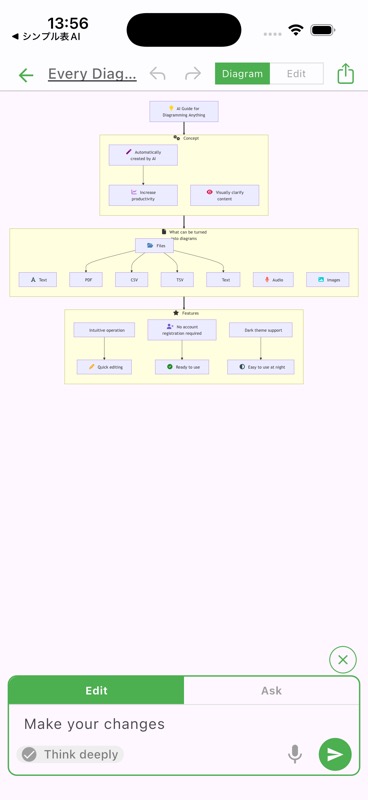
- Choose Diagram at the top of the editor, tap the field at the bottom, and choose Edit.
- Enter a change such as “Add a branch for requests that are not approved” and select Send. Check that the diagram reflects the change.
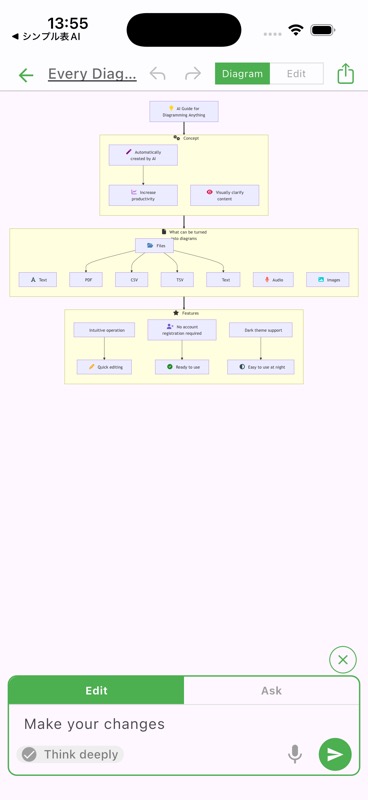
Ask AI a question about the diagram
- Choose Diagram, tap the input field at the bottom, then choose Ask.
- Send a question such as “Explain the relationships in this diagram” and read the reply in the chat window.
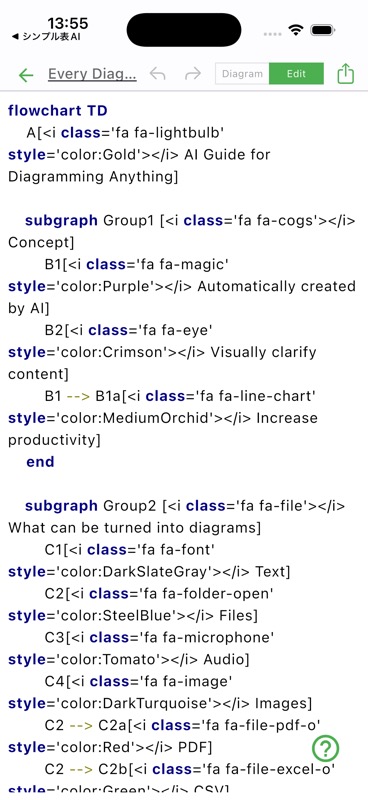
Edit a diagram’s Mermaid source
- Choose Edit at the top of the editor and modify the Mermaid source.
- Switch back to Diagram and check the updated rendering.
Export the diagram as an image, Mermaid, or HTML
- Select the share icon in the top-right corner of the editor.
- Choose an image to place the diagram in another document, Mermaid (.mermaid) to edit the source later, or HTML to open the file in a browser.
Izinto ezithengiweyo
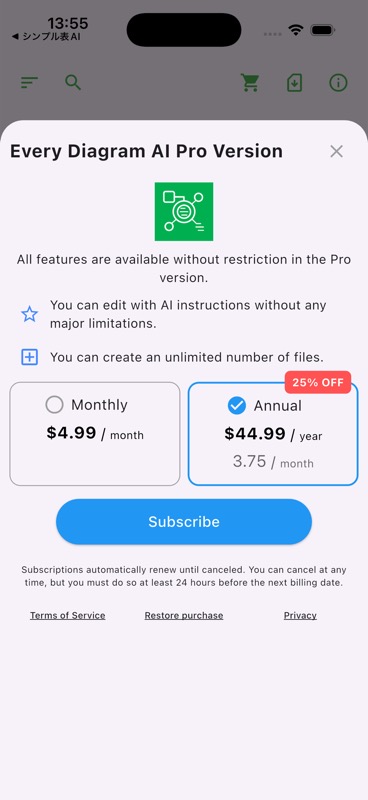
Thenga isicwangciso esihlawulelwayo
- Khetha i-ayikhoni yenqwelo yokuthenga kuluhlu lweefayile.
- Jonga izicwangciso namaxabiso kwisikrini sokuthenga, uze ukhethe isicwangciso ofuna ukusithenga.
Buyisela ukuthenga
- Ukuba uthenge kwivenkile yee-app, ngena ngeakhawunti yevenkile oyisebenzisileyo ukuthenga isicwangciso.
- Vula isikrini sokuthenga kwi-app, ukhethe Ukubuyisela izinto ezithengiweyo, uze ujonge iziphumo.
Lawula ukuthenga okanye umrhumo
- Ukuba imenyu yolwazi kuluhlu lweefayile inenketho yokulawula ukuthenga, yivule.
- Sebenzisa ivenkile okanye inkonzo othenge kuyo isicwangciso ukuze ujonge okanye urhoxise umrhumo wakho.
Iakhawunti ehlawulelwayo
Qhagamshela ukuthenga kwakho kwiakhawunti kaGoogle
- Ngena kwiakhawunti yakho kaGoogle kwisixhobo apho unokuthenga okusasebenzayo.
- Ukuba inketho yokuqhagamshela ukuthenga kwakho kwiakhawunti kaGoogle iyavela kwimenyu, yikhethe uze uqinisekise iakhawunti.
- Ukuze usebenzise isicwangciso sakho esihlawulelwayo kwesinye isixhobo esixhaswayo, ngena ngeakhawunti kaGoogle eqhagamshelweyo.
Tshintsha iakhawunti kaGoogle
- Jonga ukuba yeyiphi iakhawunti kaGoogle esebenzayo kwimenyu yolwazi kuluhlu lweefayile.
- Ukuba ikhona inketho yokuphuma kwiakhawunti, yikhethe, emva koko uvule iGoogle Drive uze ungene kwiakhawunti ofuna ukuyisebenzisa.
Kwesinye isixhobo, sebenzisa iakhawunti enxulumene nokuthenga okanye neefayile zeDrive ofuna ukufikelela kuzo.