Uluhlu lweefayile
Create a file for an ER diagram
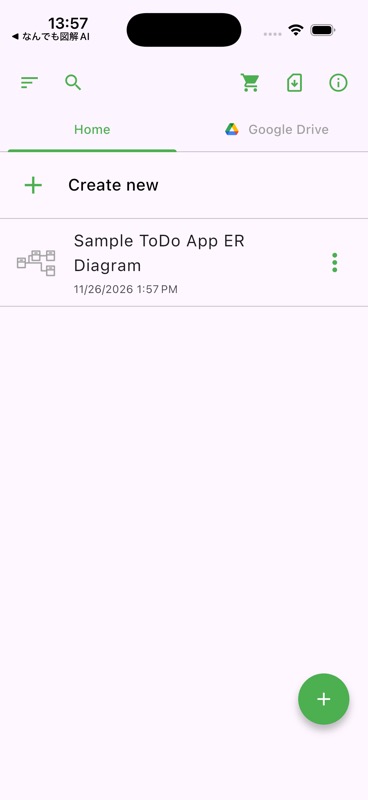
- Select + Create new in the file list and enter a name.
- Select OK to open the editor.
Ukutshintsha indlela yokuhlela ngokulandelelana iifayile
- Sebenzisa isilawuli sokuhlela ngokulandelelana esiphezulu kuluhlu lweefayile. Kwisikrini esincinci, vula imenyu yokuhlela ngokulandelelana.
- Khetha ukulandelelanisa ngokomhla wokugqibela wokulungiswa okanye ngegama lefayile.
Search for a file by name
- Open Home or Google Drive, depending on where the file is stored, and select the Search icon.
- Enter part of the name in Search by file name. Select Close to see the full list again.
Ukwenza ikopi yefayile
- Vula imenyu yamachaphaza amathathu yefayile uze ukhethe Yenza ikopi.
- Vula ikopi eyongezwe kuluhlu ukuze uyihlele ngoxa ugcina ifayile yoqobo.
Ukucima ifayile
- Vula imenyu yamachaphaza amathathu yefayile uze ukhethe Cima.
- Jonga umyalezo wokuqinisekisa uze ukhethe u-OK.
Kwifayile ekwabelwana ngayo nawe, imenyu isenokuba nokhetho lokurhoxisa ukwabelana ngayo.
Ukutshintsha igama lefayile
- Vula imenyu yamachaphaza amathathu yefayile uze ukhethe ukuthiya ngokutsha.
- Faka igama elitsha uze uqinisekise.
Kufuneka ube nemvume yokuhlela ukuze uthiye ngokutsha ifayile yeGoogle Drive ekwabelwana ngayo nawe.
Import a Mermaid diagram
- Select Import in the file list and select OK to open the file picker.
- Choose a Mermaid file (.mermaid or .mmd), then open it from the file list.
Gcina kuGoogle Drive
- Khetha iGoogle Drive kuluhlu lweefayile uze ulandele imiyalelo yokudibanisa iAkhawunti yakho kaGoogle.
- Yenza ifayile entsha kuluhlu lweGoogle Drive. Ukuba olu khetho luyafumaneka, ungahambisa nefayile egcinwe kwisixhobo sakho iye kuGoogle Drive usebenzisa imenyu yayo yamachaphaza amathathu.
Ukuvula ifayile kwesinye isixhobo, dibanisa iAkhawunti kaGoogle obuyisebenzisile ukuyigcina.
Hambisa iifayile phakathi kwesixhobo sakho neGoogle Drive
- Kwi-app efakiweyo, dibanisa iAkhawunti yakho kaGoogle uze uvule imenyu yamachaphaza amathathu yefayile.
- Khetha Hambisa kuGoogle Drive okanye Hambisa kuKhaya, kuxhomekeke apho ifayile igcinwe khona, uze uqinisekise.
Ukuhlela iifayile
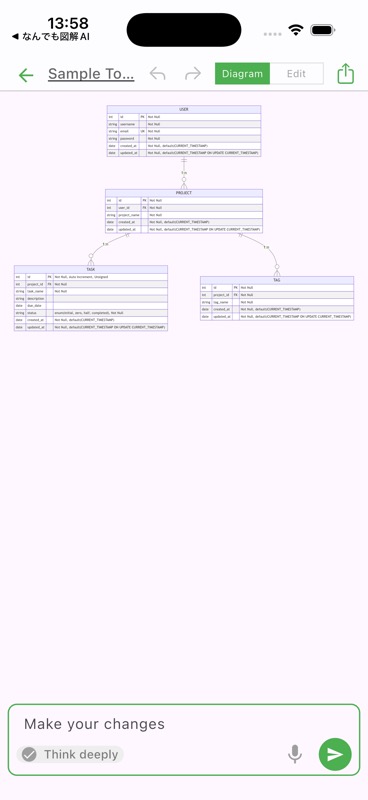
Describe tables and relationships to generate an ER diagram
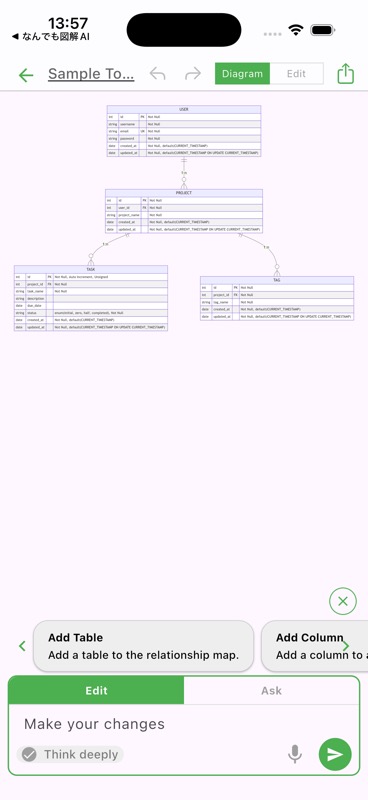
- Choose Diagram at the top of the editor, tap the field at the bottom, and choose Edit.
- Send a request such as “Create Customer and Order tables. One customer can have many orders. Give each table an ID and have each order reference its customer.”
- Check the tables, keys, and relationships, such as one-to-many. Use the same field to request changes.
Ask AI a question about the diagram
- Choose Diagram, tap the input field at the bottom, then choose Ask.
- Send a question such as “Explain the relationships in this diagram” and read the reply in the chat window.
Edit attributes and relationships in Mermaid
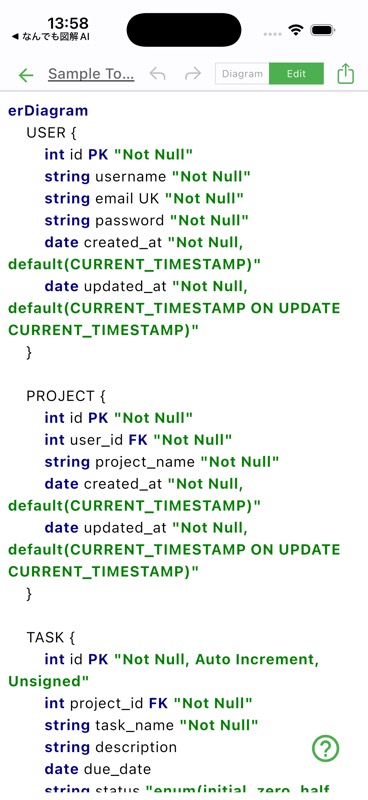
- Choose Edit at the top of the editor to open the ER diagram’s Mermaid source.
- After adding attributes or changing a relationship, switch to Diagram to check the result.
Yabelana ngomxholo nge-URL
- Vula imenyu yokuthumela ngaphandle kumhleli uze ukhethe ukhetho lokwabelana ngewebhu.
- Khuphela i-URL eyenziweyo uze uyithumele kubantu ofuna ukwabelana nabo.
I-URL iqulethe umxholo owawukho ngexesha lokwenziwa kwekhonkco. Uhlobo nobungakanani bomxholo onokwabelana ngawo bunemida.
Export the diagram as an image, Mermaid, or HTML
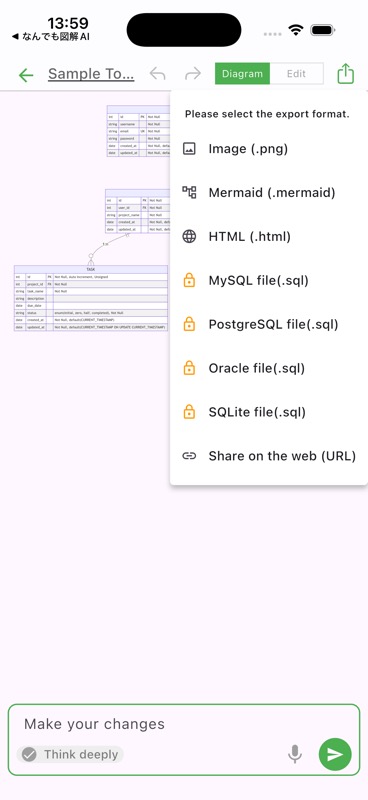
- Select the share icon in the top-right corner of the editor.
- Choose an image to place the diagram in another document, Mermaid (.mermaid) to edit the source later, or HTML to open the file in a browser.
Export an ER diagram as a SQL file
- Select the share icon in the top-right corner of the editor.
- Choose the SQL export for your database: MySQL, PostgreSQL, Oracle, or SQLite.
- Before using the exported SQL, review the data types, primary keys, and foreign keys.
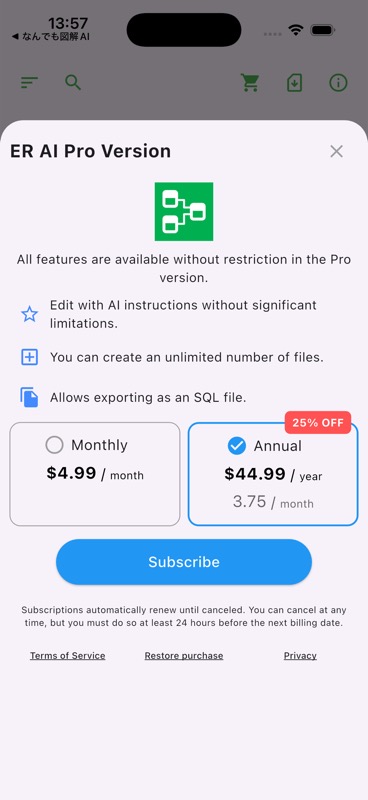
SQL export requires Pro.
Izinto ezithengiweyo
Thenga isicwangciso esihlawulelwayo
- Khetha i-ayikhoni yenqwelo yokuthenga kuluhlu lweefayile.
- Jonga izicwangciso namaxabiso kwisikrini sokuthenga, uze ukhethe isicwangciso ofuna ukusithenga.
Buyisela ukuthenga
- Ukuba uthenge kwivenkile yee-app, ngena ngeakhawunti yevenkile oyisebenzisileyo ukuthenga isicwangciso.
- Vula isikrini sokuthenga kwi-app, ukhethe Ukubuyisela izinto ezithengiweyo, uze ujonge iziphumo.
Lawula ukuthenga okanye umrhumo
- Ukuba imenyu yolwazi kuluhlu lweefayile inenketho yokulawula ukuthenga, yivule.
- Sebenzisa ivenkile okanye inkonzo othenge kuyo isicwangciso ukuze ujonge okanye urhoxise umrhumo wakho.
Iakhawunti ehlawulelwayo
Qhagamshela ukuthenga kwakho kwiakhawunti kaGoogle
- Ngena kwiakhawunti yakho kaGoogle kwisixhobo apho unokuthenga okusasebenzayo.
- Ukuba inketho yokuqhagamshela ukuthenga kwakho kwiakhawunti kaGoogle iyavela kwimenyu, yikhethe uze uqinisekise iakhawunti.
- Ukuze usebenzise isicwangciso sakho esihlawulelwayo kwesinye isixhobo esixhaswayo, ngena ngeakhawunti kaGoogle eqhagamshelweyo.
Tshintsha iakhawunti kaGoogle
- Jonga ukuba yeyiphi iakhawunti kaGoogle esebenzayo kwimenyu yolwazi kuluhlu lweefayile.
- Ukuba ikhona inketho yokuphuma kwiakhawunti, yikhethe, emva koko uvule iGoogle Drive uze ungene kwiakhawunti ofuna ukuyisebenzisa.
Kwesinye isixhobo, sebenzisa iakhawunti enxulumene nokuthenga okanye neefayile zeDrive ofuna ukufikelela kuzo.