Urutonde rwa dosiye
Create a table from text with AI
- In the file list, select Text input under Create new with AI.
- Describe the columns and information you need, such as “Create an inventory with columns for item, quantity, and storage location,” then select OK.
- Check that the generated headings and numbers match the information you provided.
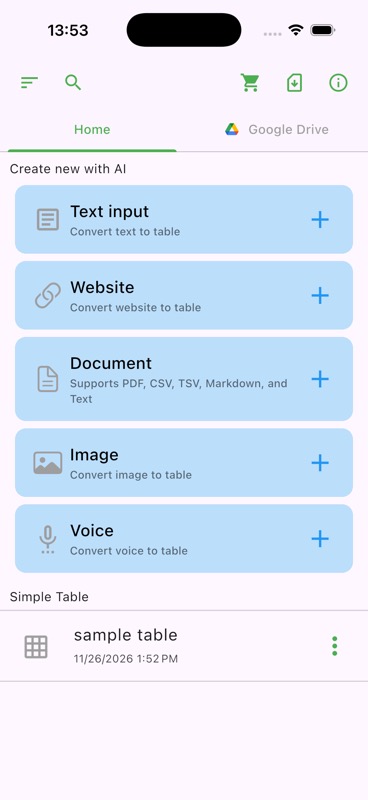
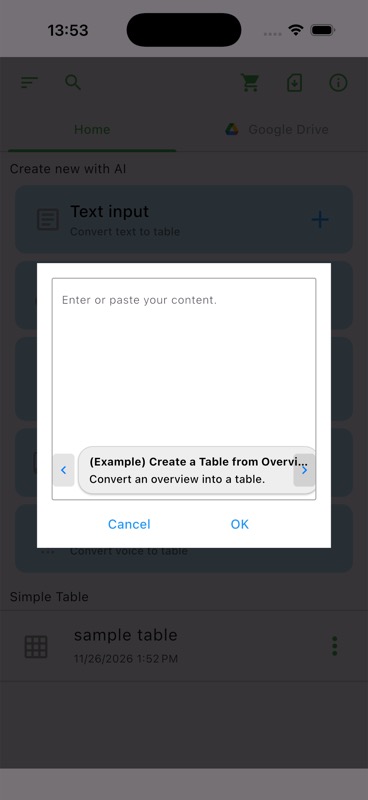
Create a table from a document, image, website, or voice input
- Under Create new with AI in the file list, choose Document, Image, Website, or Voice.
- Select the file or image, enter the page URL, or provide voice input. Compare the resulting table with the source material.
Guhindura uburyo dosiye zikurikirana
- Koresha uburyo bwo gutondeka buri hejuru y'urutonde rwa dosiye. Kuri ekara nto, fungura meni yo gutondeka.
- Hitamo gutondeka ukurikije itariki dosiye yahinduriweho cyangwa izina ryayo.
Search for a file by name
- Open Home or Google Drive, depending on where the file is stored, and select the Search icon.
- Enter part of the name in Search by file name. Select Close to see the full list again.
Gukora kopi ya dosiye
- Fungura meni y'utudomo dutatu ya dosiye maze uhitemo Gukora kopi.
- Fungura kopi yongewe ku rutonde kugira ngo uyihindure, dosiye y'umwimerere igumeho.
Gusiba dosiye
- Fungura meni y'utudomo dutatu ya dosiye maze uhitemo Gusiba.
- Reba ubutumwa bwo kwemeza maze uhitemo OK.
Ku dosiye wasangijwe, meni ishobora kugaragaza uburyo bwo guhagarika gusangirwa iyo dosiye.
Guhindura izina rya dosiye
- Fungura menu y'utudomo dutatu ya dosiye, uhitemo Guhindura izina.
- Andika izina rishya maze wemeze.
Ukeneye uburenganzira bwo guhindura dosiye ya Google Drive wasangijwe kugira ngo uhindure izina ryayo.
Import an existing table into Simple Table AI
- Select Import in the file list and select OK to open the file picker.
- Select a CSV, TSV, TXT, or Simple Table (.simpletable) file.
Save an AI-generated file to Google Drive
- Choose Google Drive in the file list and sign in to your Google Account if prompted.
- With the Google Drive tab open, create a file using Create new with AI. To move a local file, select Move to Google Drive from its three-dot menu if the option is available.
Kugira ngo ufungure dosiye ku kindi gikoresho, huza konti ya Google wakoresheje uyibika.
Kwimura dosiye hagati y'igikoresho cyawe na Google Drive
- Muri porogaramu washyize ku gikoresho cyawe, huza konti yawe ya Google maze ufungure menu y'utudomo dutatu ya dosiye.
- Ukurikije aho dosiye ibitse, hitamo «Kwimurira muri Google Drive» cyangwa «Kwimurira ku rupapuro rw'ibanze» maze wemeze.
Guhindura dosiye
Revise a table with AI
- Tap the input field below the table and choose Edit.
- Enter a change such as “Add an Owner column on the right” and select Send. Review the updated cells or headings.
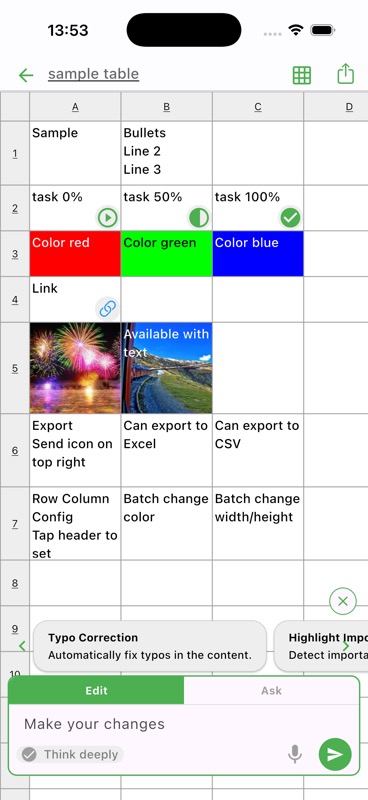
Ask AI a question about the table
- Tap the input field below the table and choose Ask.
- Send a question such as “Which items are running low?” and read the reply in the chat window.
Guhindura utugari no kongeramo imirongo cyangwa inkingi
- Hitamo akagari ushaka guhindura kugira ngo ufungure ahagenewe kugahindura.
- Andika ibikubiye mu kagari maze wemeze kugira ngo imbonerahamwe ivugururwe.
- Koresha ikimenyetso + kiri hasi cyangwa ku ruhande rw'imbonerahamwe kugira ngo wongere imirongo cyangwa inkingi.
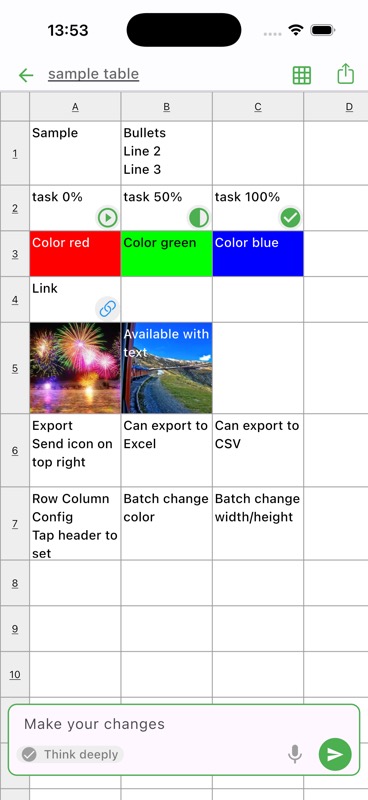
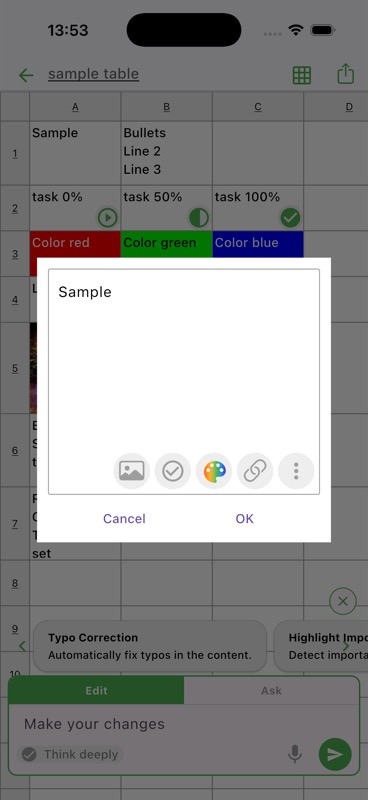
Kongera ishusho mu kazu
- Fungura akazu, uhitemo agashushondanga k’ishusho, maze uhitemo ishusho iri ku gikoresho cyawe.
- Kugira ngo ukureho ishusho isanzwe irimo, ongera uhitemo ako gashushondanga.
Kongera amashusho ni uburyo bwishyurwa.
Kohereza imbonerahamwe hanze
- Fungura menu yo kohereza hanze mu mwanditsi w’imbonerahamwe.
- Hitamo ishusho cyangwa PDF kugira ngo ugumane uko imbonerahamwe igaragara, CSV cyangwa Excel kugira ngo ukoreshe amakuru yayo mu yindi porogaramu, cyangwa imiterere y’iyi porogaramu kugira ngo uzongere kuyihindura nyuma.
Imiterere ya dosiye iboneka iterwa n'urubuga ukoresha na gahunda yawe.
Ibyaguzwe
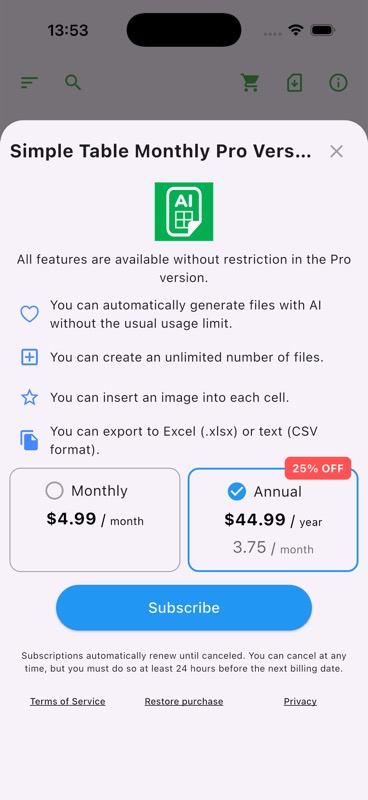
Kugura gahunda yishyurwa
- Hitamo agashushondanga k'agatebo k'ibicuruzwa ku rutonde rwa dosiye.
- Reba gahunda n'ibiciro byazo kuri ecran yo kugura, hanyuma uhitemo gahunda ushaka kugura.
Kugarura ibyaguzwe
- Niba waraguriye gahunda mu iduka rya porogaramu, injira muri konti y'iryo duka wakoresheje uyigura.
- Fungura ecran yo kugura muri porogaramu, uhitemo «Kugarura ibyaguzwe», hanyuma urebe igisubizo.
Gucunga ibyaguzwe cyangwa ifatabuguzi
- Niba menu y'amakuru yo ku rutonde rwa dosiye irimo uburyo bwo gucunga ibyaguzwe, fungura ubwo buryo.
- Koresha iduka cyangwa serivisi waguriyemo gahunda kugira ngo urebe amakuru y'ifatabuguzi ryawe cyangwa urihagarike.
Konti yishyurwa
Guhuza ibyo waguze na konti ya Google
- Injira muri konti yawe ya Google ku gikoresho ufiteho gahunda waguze ikiri gukora.
- Niba uburyo bwo guhuza ibyo waguze na konti ya Google bugaragara muri menu, buhitemo maze wemeze konti.
- Kugira ngo ukoreshe gahunda yawe yishyurwa ku kindi gikoresho gishyigikiwe, injira ukoresheje konti ya Google wahuje n'ibyo waguze.
Guhindura konti ya Google
- Reba konti ya Google ikoreshwa ubu muri menu y'amakuru yo ku rutonde rwa dosiye.
- Niba uburyo bwo gusohoka muri konti buboneka, buhitemo, hanyuma ufungure Google Drive maze winjire muri konti ushaka gukoresha.
Ku kindi gikoresho, koresha konti ihujwe n'ibyo waguze cyangwa na dosiye zo muri Drive ushaka kubona.