Urutonde rwa dosiye
Create a relationship map file
- Select + Create new in the file list.
- Enter a name, then select OK to open the relationship map editor.
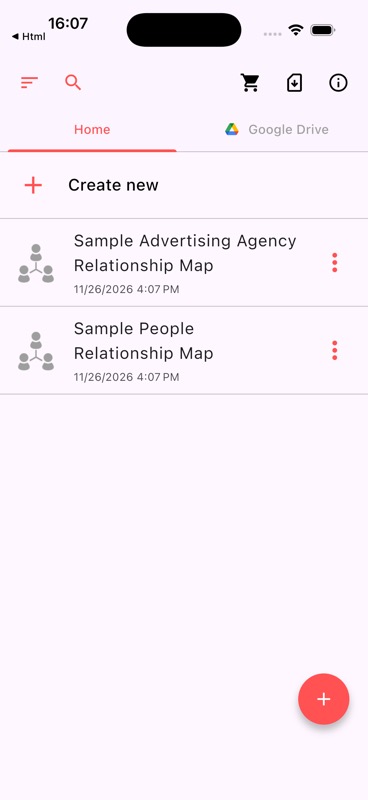
Guhindura uburyo dosiye zikurikirana
- Koresha uburyo bwo gutondeka buri hejuru y'urutonde rwa dosiye. Kuri ekara nto, fungura meni yo gutondeka.
- Hitamo gutondeka ukurikije itariki dosiye yahinduriweho cyangwa izina ryayo.
Search for a file by name
- Open Home or Google Drive, depending on where the file is stored, and select the Search icon.
- Enter part of the name in Search by file name. Select Close to see the full list again.
Gukora kopi ya dosiye
- Fungura meni y'utudomo dutatu ya dosiye maze uhitemo Gukora kopi.
- Fungura kopi yongewe ku rutonde kugira ngo uyihindure, dosiye y'umwimerere igumeho.
Gusiba dosiye
- Fungura meni y'utudomo dutatu ya dosiye maze uhitemo Gusiba.
- Reba ubutumwa bwo kwemeza maze uhitemo OK.
Ku dosiye wasangijwe, meni ishobora kugaragaza uburyo bwo guhagarika gusangirwa iyo dosiye.
Guhindura izina rya dosiye
- Fungura menu y'utudomo dutatu ya dosiye, uhitemo Guhindura izina.
- Andika izina rishya maze wemeze.
Ukeneye uburenganzira bwo guhindura dosiye ya Google Drive wasangijwe kugira ngo uhindure izina ryayo.
Import a Simple Relationship Map file
- Select Import in the file list, then select OK to open the file picker.
- Choose a Simple Relationship Map (.srelationship) file. You can also import a JSON file containing data in the same format.
Kubika muri Google Drive
- Hitamo Google Drive mu rutonde rwa dosiye maze ukurikize amabwiriza agaragara kugira ngo uhuze konti yawe ya Google.
- Kora dosiye nshya uhereye ku rutonde rwa Google Drive. Niba ubwo buryo buhari, ushobora no kwimurira dosiye ibitse ku gikoresho cyawe muri Google Drive ukoresheje menu yayo y'utudomo dutatu.
Kugira ngo ufungure dosiye ku kindi gikoresho, huza konti ya Google wakoresheje uyibika.
Kwimura dosiye hagati y'igikoresho cyawe na Google Drive
- Muri porogaramu washyize ku gikoresho cyawe, huza konti yawe ya Google maze ufungure menu y'utudomo dutatu ya dosiye.
- Ukurikije aho dosiye ibitse, hitamo «Kwimurira muri Google Drive» cyangwa «Kwimurira ku rupapuro rw'ibanze» maze wemeze.
Guhindura dosiye
Add people or items
- Select + at the bottom of the editor to add an item. If another item is selected, the app also connects it to the new item.
- Tap the selected item again or select the pencil icon at the bottom, then enter a name or label.
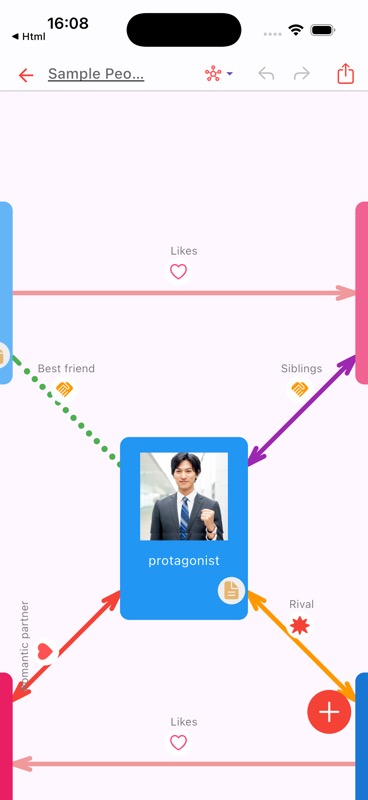
Connect existing items with a line
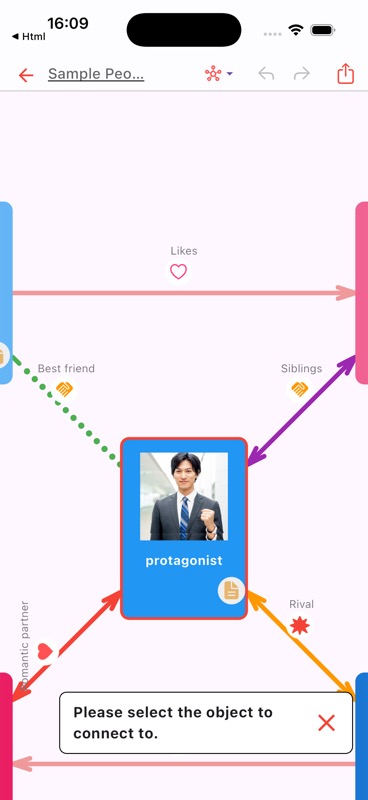
- Tap the item where the connection should start, then select Connection Line at the bottom of the screen.
- Tap the item you want to connect it to. To add a label, tap the new line to select it, then tap it again and enter a relationship such as “Coworkers” or “Assigns work.”
Change the arrow or line style
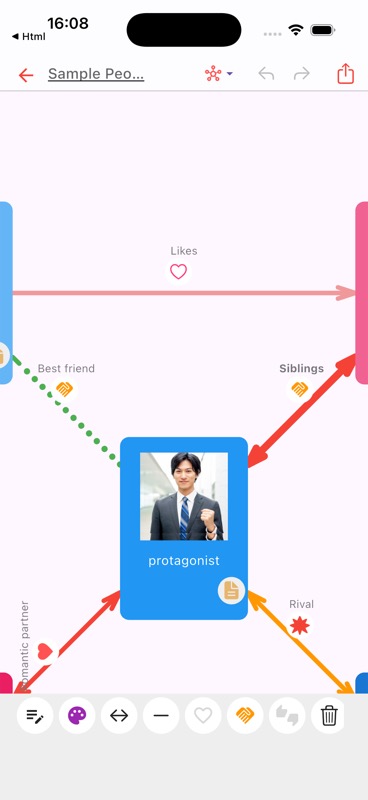
- Tap a connection line to select it, then use the arrow or line style button at the bottom.
- Each tap cycles through the available styles. Check the arrow direction and whether the line is solid or dashed.
Export a map as an image, Mermaid, or an app file
- Select the share icon in the top-right corner. Choose an image to send a copy of the map, or Mermaid (.mermaid) to use it in a Mermaid editor.
- Choose Simple Relationship Chart (.srelationship) if you want to import the map back into the app for editing.
Export formats marked with a lock require Pro.
Ibyaguzwe
Kugura gahunda yishyurwa
- Hitamo agashushondanga k'agatebo k'ibicuruzwa ku rutonde rwa dosiye.
- Reba gahunda n'ibiciro byazo kuri ecran yo kugura, hanyuma uhitemo gahunda ushaka kugura.
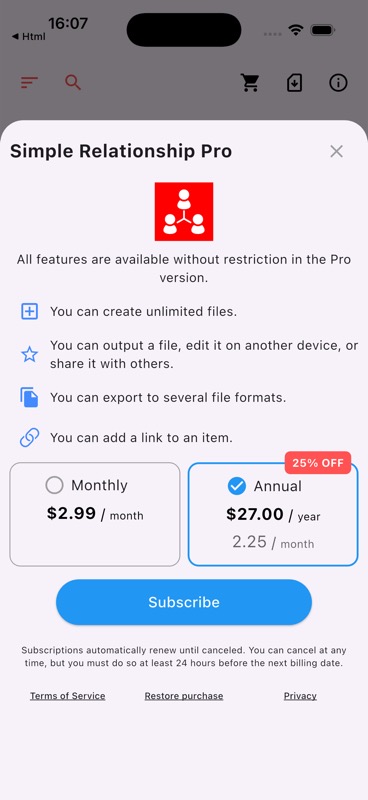
Kugarura ibyaguzwe
- Niba waraguriye gahunda mu iduka rya porogaramu, injira muri konti y'iryo duka wakoresheje uyigura.
- Fungura ecran yo kugura muri porogaramu, uhitemo «Kugarura ibyaguzwe», hanyuma urebe igisubizo.
Gucunga ibyaguzwe cyangwa ifatabuguzi
- Niba menu y'amakuru yo ku rutonde rwa dosiye irimo uburyo bwo gucunga ibyaguzwe, fungura ubwo buryo.
- Koresha iduka cyangwa serivisi waguriyemo gahunda kugira ngo urebe amakuru y'ifatabuguzi ryawe cyangwa urihagarike.
Konti yishyurwa
Guhuza ibyo waguze na konti ya Google
- Injira muri konti yawe ya Google ku gikoresho ufiteho gahunda waguze ikiri gukora.
- Niba uburyo bwo guhuza ibyo waguze na konti ya Google bugaragara muri menu, buhitemo maze wemeze konti.
- Kugira ngo ukoreshe gahunda yawe yishyurwa ku kindi gikoresho gishyigikiwe, injira ukoresheje konti ya Google wahuje n'ibyo waguze.
Guhindura konti ya Google
- Reba konti ya Google ikoreshwa ubu muri menu y'amakuru yo ku rutonde rwa dosiye.
- Niba uburyo bwo gusohoka muri konti buboneka, buhitemo, hanyuma ufungure Google Drive maze winjire muri konti ushaka gukoresha.
Ku kindi gikoresho, koresha konti ihujwe n'ibyo waguze cyangwa na dosiye zo muri Drive ushaka kubona.