Lenane la lifaele
Create a relationship map file
- Select + Create new in the file list.
- Enter a name, then select OK to open the relationship map editor.
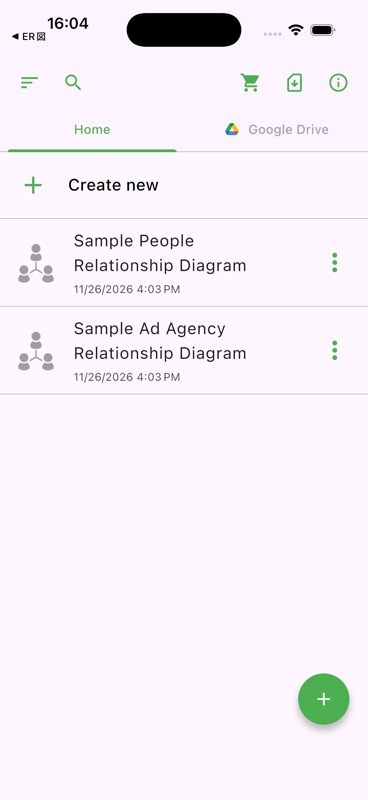
Fetola tatellano ea lifaele
- Sebelisa taolo ea ho hlopha e kaholimo ho lenane la lifaele. Skrineng se senyenyane, bula menu ea ho hlopha.
- Khetha ho hlopha ka letsatsi la phetoho kapa lebitso la faele.
Search for a file by name
- Open Home or Google Drive, depending on where the file is stored, and select the Search icon.
- Enter part of the name in Search by file name. Select Close to see the full list again.
Etsa kopi ea faele
- Bula menu ea matheba a mararo ea faele 'me u khethe Etsa kopi.
- Bula kopi e kentsoeng lenaneng ho e hlophisa ha u ntse u boloka faele ea mantlha.
Hlakola faele
- Bula menu ea matheba a mararo ea faele 'me u khethe Hlakola.
- Hlahloba molaetsa oa netefatso 'me u khethe OK.
Bakeng sa faele e arolelanoeng le uena, menu e ka fana ka khetho ea ho tlosa ho arolelana.
Reha faele lebitso le lecha
- Bula menu ea matheba a mararo ea faele 'me u khethe Reha lebitso le lecha.
- Kenya lebitso le lecha 'me u netefatse.
U hloka tumello ea ho hlophisa hore u rehe faele ea Google Drive e arolelanoeng le uena lebitso le lecha.
Import a Mermaid diagram
- Select Import in the file list and select OK to open the file picker.
- Choose a Mermaid file (.mermaid or .mmd), then open it from the file list.
Boloka ho Google Drive
- Khetha Google Drive lenaneng la lifaele 'me u latele litaelo ho hokela ak'haonte ea hao ea Google.
- Theha faele e ncha lenaneng la Google Drive. Haeba khetho eo e le teng, u ka boela ua fallisetsa faele e bolokiloeng sesebelisoeng ho Google Drive ka menu ea eona ea matheba a mararo.
Ho bula faele sesebelisoeng se seng, hokela ak'haonte ea Google eo u e sebelisitseng ho e boloka.
Fallisa lifaele pakeng tsa sesebelisoa sa hao le Google Drive
- Ho app e kentsoeng sesebelisoeng, hokela ak'haonte ea hao ea Google 'me u bule menu ea matheba a mararo ea faele.
- Khetha Fallisetsa ho Google Drive kapa Fallisetsa ho Lehae, ho latela hore na faele e bolokiloe hokae, 'me u netefatse.
Ho hlophisa lifaele
Describe people and relationships to create a map with AI
- Choose Relationship Map at the top, tap the input field at the bottom, and choose Edit.
- Describe who is involved and how they are connected. For example, “Mia and Alex are coworkers. Alex assigns work to Jordan.” Then select Send.
- Check the names and connections in the result. Use the same input field to request changes such as “Reverse the direction of the assignment arrow.”
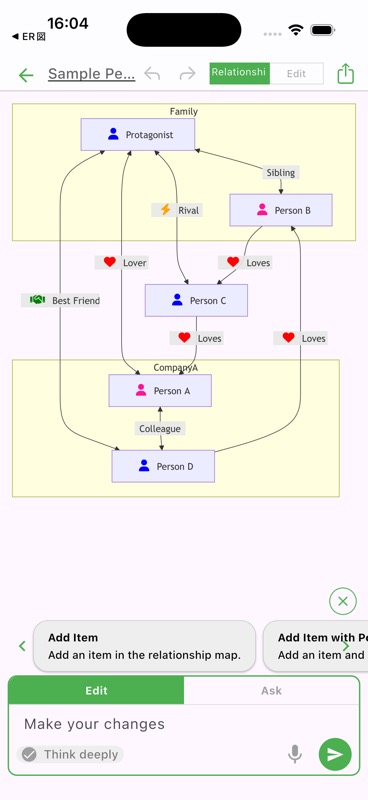
Ask AI about a relationship map
- On the Relationship Map tab, tap the input field at the bottom and choose Ask.
- Send a question such as “Who assigns work to whom in this map?” and read the reply in the chat window.
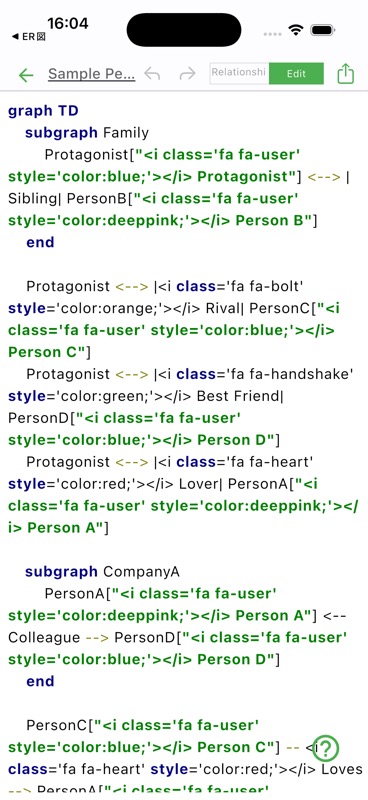
Edit relationships and labels in Mermaid
- Choose Edit at the top of the editor to open the Mermaid source.
- Change the direction of a relationship or the label on a line, then switch back to Relationship Map to check the result.
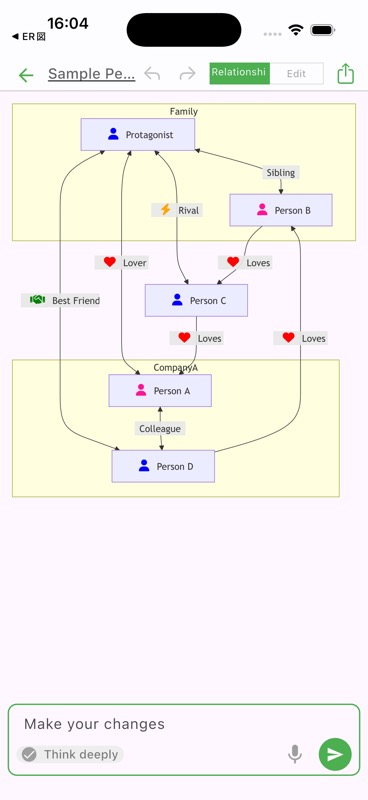
Export the diagram as an image, Mermaid, or HTML
- Select the share icon in the top-right corner of the editor.
- Choose an image to place the diagram in another document, Mermaid (.mermaid) to edit the source later, or HTML to open the file in a browser.
Litheko
Reka moralo o lefelloang
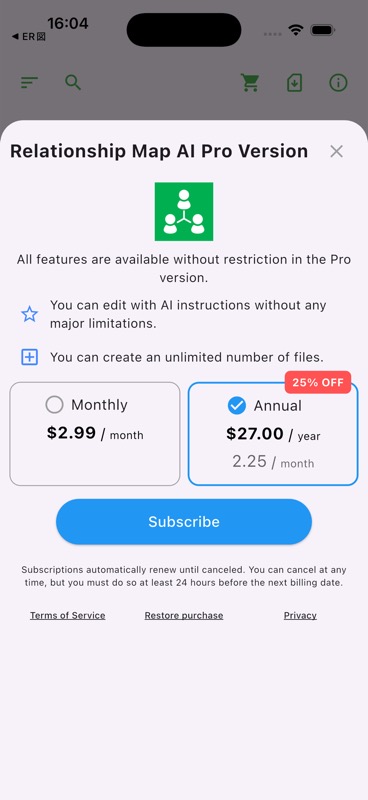
- Khetha letšoao la kariki ea ho reka lenaneng la lifaele.
- Hlahloba meralo le litheko skrineng sa ho reka, ebe u khetha moralo oo u batlang ho o reka.
Khutlisetsa theko
- Haeba u rekile moralo lebenkeleng la liapp, kena ka ak'haonte ea lebenkele eo u e sebelisitseng ho reka moralo.
- Bula skrine sa ho reka ka har'a app, khetha „Khutlisetsa litheko“, ebe u hlahloba sephetho.
Laola theko kapa peeletso
- Haeba lenane la tlhahisoleseling lenaneng la lifaele le na le khetho ea ho laola litheko, e bule.
- Sebelisa lebenkele kapa tšebeletso eo u rekileng moralo ho eona ho hlahloba kapa ho hlakola peeletso ea hau.
Ak'haonte e lefelloang
Hokahanya theko ea hau le ak'haonte ea Google
- Kena ka ak'haonte ea hau ea Google sesebelisoeng seo u nang le theko e ntseng e sebetsa ho sona.
- Haeba khetho ea ho hokahanya theko ea hau le ak'haonte ea Google e hlaha lenaneng, e khethe 'me u netefatse ak'haonte.
- Ho sebelisa moralo oa hau o lefelloang sesebelisoeng se seng se tšehetsoeng, kena ka ak'haonte ea Google e hokahaneng le theko.
Fetola ak'haonte ea Google
- Hlahloba hore na ke ak'haonte efe ea Google e ntseng e sebelisoa lenaneng la tlhahisoleseling lenaneng la lifaele.
- Haeba khetho ea ho tsoa ak'haonteng e fumaneha, e khethe, ebe u bula Google Drive 'me u kena ka ak'haonte eo u batlang ho e sebelisa.
Sesebelisoeng se seng, sebelisa ak'haonte e amanang le theko kapa lifaele tsa Drive tseo u batlang ho li fumana.