Liiska faylasha
Create a relationship map file
- Select + Create new in the file list.
- Enter a name, then select OK to open the relationship map editor.
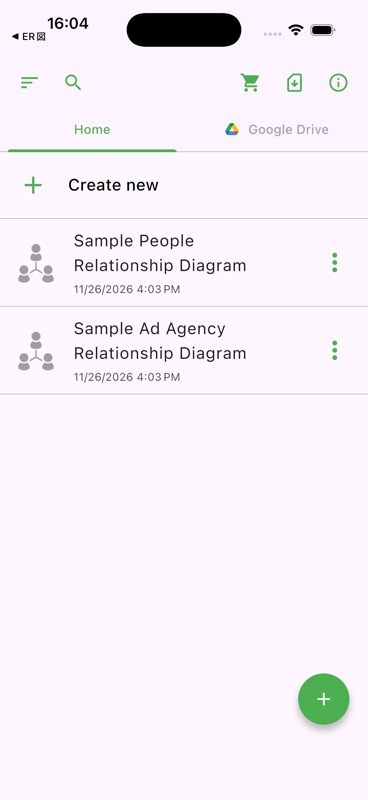
Beddel kala horraynta faylasha
- Adeegso xakamaynta kala soocidda ee ku taal xagga sare ee liiska faylasha. Shaashad yar, fur menu-ga kala soocidda.
- Dooro inaad ku kala soocdo taariikhda wax ka beddelka ama magaca faylka.
Search for a file by name
- Open Home or Google Drive, depending on where the file is stored, and select the Search icon.
- Enter part of the name in Search by file name. Select Close to see the full list again.
Nuqul ka samee fayl
- Fur menu-ga saddexda dhibcood ee faylka oo dooro Nuqul ka samee.
- Fur nuqulka lagu daray liiska si aad wax uga beddesho adigoo ilaalinaya faylka asalka ah.
Tirtir fayl
- Fur menu-ga saddexda dhibcood ee faylka oo dooro Tirtir.
- Hubi farriinta xaqiijinta oo dooro OK.
Fayl lagula wadaagay, menu-gu waxa laga yaabaa inuu bixiyo ikhtiyaar lagu joojinayo wadaagista.
Dib u magacow fayl
- Fur liiska saddexda dhibcood ee faylka oo dooro Magac-beddel.
- Geli magaca cusub oo xaqiiji.
Waxaad u baahan tahay oggolaanshaha wax-ka-beddelka si aad u beddesho magaca fayl Google Drive ah oo lagula wadaagay.
Import a Mermaid diagram
- Select Import in the file list and select OK to open the file picker.
- Choose a Mermaid file (.mermaid or .mmd), then open it from the file list.
Ku kaydi Google Drive
- Dooro Google Drive liiska faylasha oo raac tilmaamaha si aad ugu xirto akoonkaaga Google.
- Ka samee fayl cusub liiska Google Drive. Haddii ikhtiyaarku jiro, waxaad sidoo kale fayl ku jira qalabkaaga ugu wareejin kartaa Google Drive adigoo adeegsanaya liiskiisa saddexda dhibcood.
Si aad faylka ugu furto qalab kale, ku xir akoonkii Google ee aad ku kaydisay.
U kala wareeji faylasha qalabkaaga iyo Google Drive
- Abka rakiban dhexdiisa, ku xir akoonkaaga Google oo fur liiska saddexda dhibcood ee faylka.
- Dooro U wareeji Google Drive ama U wareeji HOME, iyadoo ku xiran meesha faylku ku kaydsan yahay, oo xaqiiji.
Wax ka beddelka faylasha
Describe people and relationships to create a map with AI
- Choose Relationship Map at the top, tap the input field at the bottom, and choose Edit.
- Describe who is involved and how they are connected. For example, “Mia and Alex are coworkers. Alex assigns work to Jordan.” Then select Send.
- Check the names and connections in the result. Use the same input field to request changes such as “Reverse the direction of the assignment arrow.”
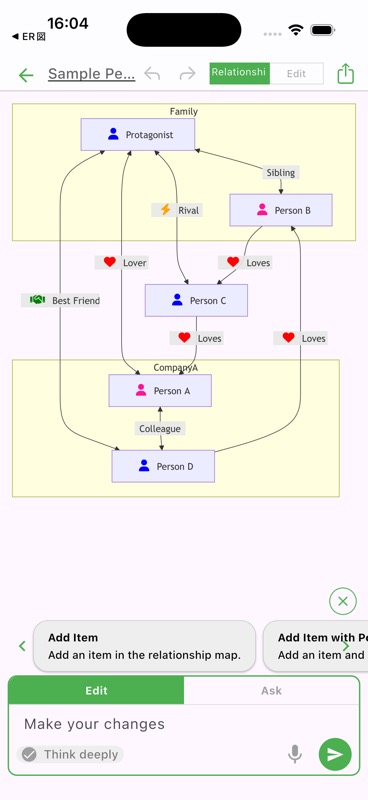
Ask AI about a relationship map
- On the Relationship Map tab, tap the input field at the bottom and choose Ask.
- Send a question such as “Who assigns work to whom in this map?” and read the reply in the chat window.
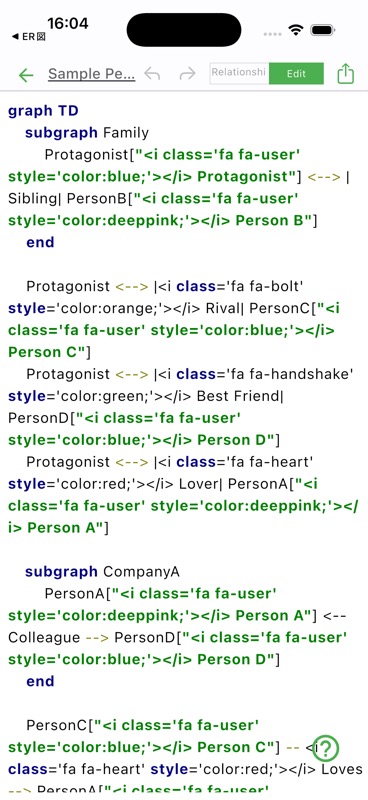
Edit relationships and labels in Mermaid
- Choose Edit at the top of the editor to open the Mermaid source.
- Change the direction of a relationship or the label on a line, then switch back to Relationship Map to check the result.
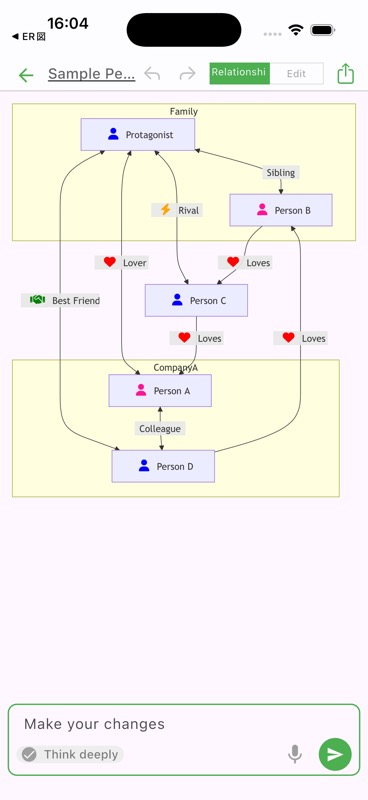
Export the diagram as an image, Mermaid, or HTML
- Select the share icon in the top-right corner of the editor.
- Choose an image to place the diagram in another document, Mermaid (.mermaid) to edit the source later, or HTML to open the file in a browser.
Iibsiyada
Iibso qorshe lacag leh
- Dooro astaanta gaadhiga wax iibsiga ee liiska faylasha.
- Ka eeg qorshayaasha iyo qiimayaasha shaashadda wax iibsiga, dabadeed dooro qorshaha aad rabto inaad iibsato.
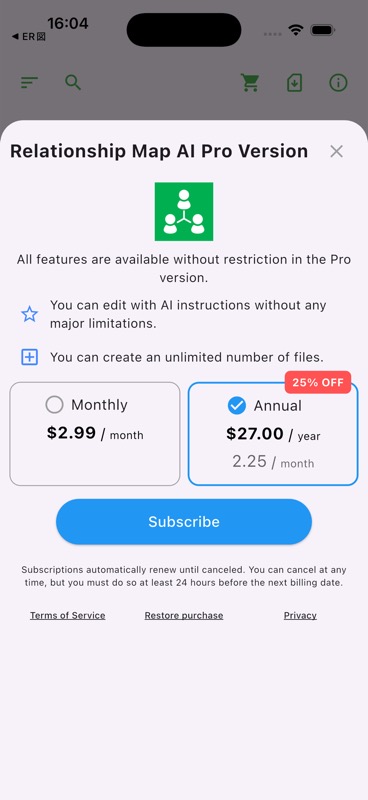
Soo celi iibsi
- Haddii aad wax ka iibsatay dukaanka abka, ku gal akoonka dukaanka aad qorshaha ku iibsatay.
- Fur shaashadda wax iibsiga ee abka, dooro “Soo celi iibsiyada”, oo hubi natiijada.
Maamul iibsi ama rukumo
- Haddii menu-ga macluumaadka ee liiska faylasha uu leeyahay ikhtiyaar lagu maamulo iibsiyada, fur ikhtiyaarkaas.
- Isticmaal dukaanka ama adeegga aad qorshaha ka iibsatay si aad u eegto ama u joojiso rukumadaada.
Akoon lacag lagu bixiyo
Ku xir iibsigaaga akoon Google
- Gal akoonkaaga Google adigoo isticmaalaya qalabka uu ka shaqaynayo iibsigaagu.
- Haddii ikhtiyaarka lagu xirayo iibsigaaga akoon Google uu ka muuqdo menu-ga, dooro oo xaqiiji akoonka.
- Si aad qorshahaaga lacagta leh ugu isticmaasho qalab kale oo la taageero, ku gal akoonka Google ee ku xiran.
Beddel akoonnada Google
- Ka hubi menu-ga macluumaadka ee liiska faylasha akoonka Google ee hadda shaqaynaya.
- Haddii ikhtiyaarka ka bixitaanka akoonka la heli karo, dooro, dabadeed fur Google Drive oo gal akoonka aad rabto inaad isticmaasho.
Qalab kale ku isticmaal akoonka ku xiran iibsiga ama faylasha Drive ee aad rabto inaad hesho.