


Simple FAQ was released on iOS.
Features

Group Management
Organize with headers

Preview
View as HTML or PDF

Multiple Layouts
Choose for your needs

Notes
Record details
About this app
Create and manage FAQs easily on your smartphone or tablet.
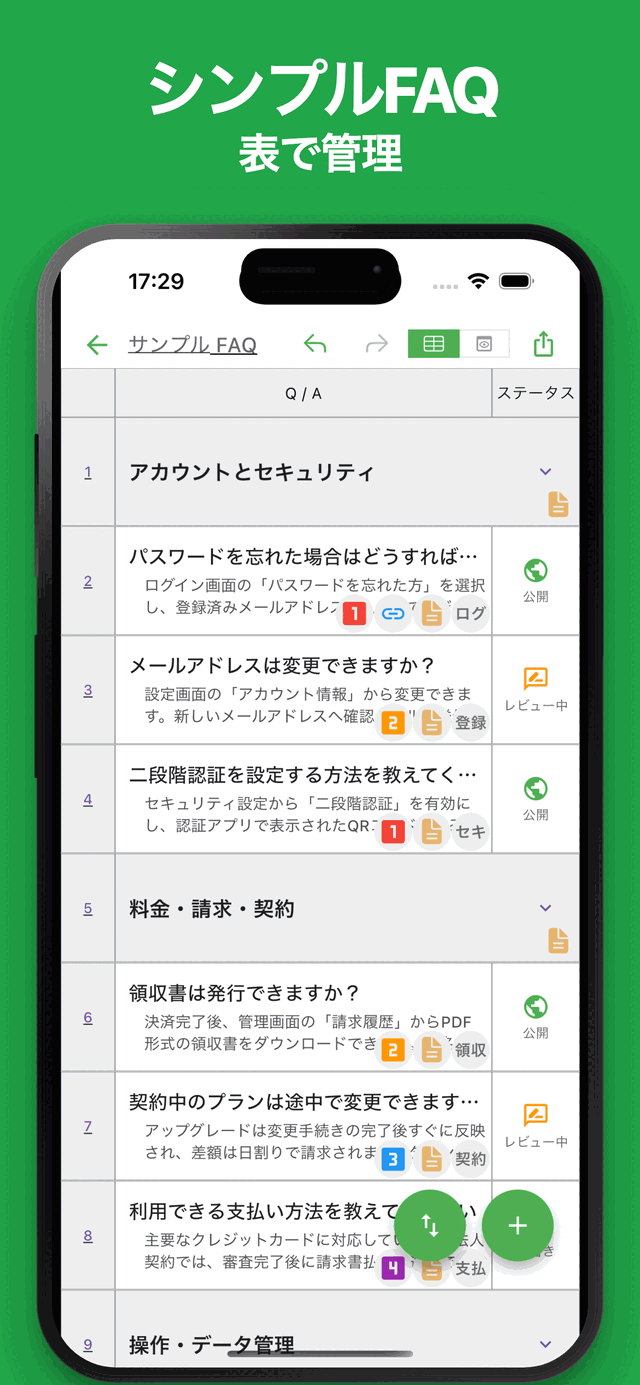
Organize questions and answers in a table format and build well-structured FAQ documents with ease.
You can preview and export your FAQs as HTML or PDF, making them useful for help centers, support websites, internal documentation, product guides, knowledge bases, and more.
Common use cases include:
- Product and service FAQs
- Internal company documentation
- Customer support knowledge bases
- Help center content
- Operating procedures and manuals
- Team knowledge sharing
- School, club, and community guides
In addition to traditional FAQs, the app can be used anywhere information needs to be organized in a question-and-answer format.
If you're looking for a simple way to create and manage FAQs, give it a try.
Features
- Intuitive Interface
Simple tools should be easy to use. The app is fast, responsive, and designed for effortless editing.
- Table-Based FAQ Management
Manage questions and answers in a clear table layout. Even large FAQ collections remain easy to organize.
- Group Management with Headers
Organize FAQs using headers and categories. Create structured and easy-to-navigate FAQ documents.
- Collapsible Sections
Expand and collapse groups as needed. Efficiently manage large FAQ collections.
- Rich Visual Organization
Use colors to highlight important FAQs and categories.
- Publish Date Management
Assign publish dates to individual FAQs. Useful for release planning and content management.
- Status Management
Manage FAQ statuses such as Draft, Review, Published, Hidden, and Deprecated.
- Links
Add links to related websites, documentation, or resources.
- Assignee Management
Assign owners to FAQs and keep track of responsibilities.
- Priority Management
Mark important FAQs with priorities to improve visibility.
- Notes
Add detailed notes and supplementary information to each FAQ item.
- HTML & PDF Preview
Preview your FAQ content as HTML or PDF before exporting.
- Multiple Layouts
Choose from multiple layouts depending on your needs.
- Export & Share
Export FAQs as HTML or PDF and share them easily.
- Import
Import saved FAQ data and continue editing at any time.
- Ready to Use
No account registration required. Start using the app immediately after installation.
- Multi-Device Support
Synchronize data across multiple devices using Google Drive.
- Dark Theme Support
Comfortable to use at night or in low-light environments.
Latest News
Simple FAQ was released on Android.
Related Apps
Find an app that fits what you want to do next.

More Apps

PoseCraft: Simple Pose Maker
Create Various Poses with Ease

# Simple Delivery Note
Easy Delivery Note Creator

Marp Slide AI
Create with AI, Edit Freely

iEvery - Daily Habit Notes
Track mood, health, meds, drinks, study, workouts, and daily habits

Simple Pixel Art
Pixel Art Maker for Everyone

Simple Resume
Create Resumes & CVs Easily

HTML Slide AI
Create Slides Freely with HTML

InkNote - Handwritten Notes
Write notes and export PNG/PDF

Simple Slide AI
Create slides easily with AI

ReqSpec AI: Manage Specs
Easily create and manage requirements and specifications.
Frequently Asked Questions
For help with using the apps, purchases, and common questions, please visit our FAQ.
Read the FAQOpens in a new tab
Feedback and Requests
If you have feedback or requests about this app, please contact us using the form below.
Open the feedback form