


Simple Shift Sheet was released on iOS.
Features

See Roles at a Glance
Manage Assignments

Notes
Keep Details Handy

Flexible Shift Patterns
Presets and Custom

Export / Share
Use It Anywhere
About this app
Easily create shift sheets on your phone. Simple Shift Sheet helps you manage workdays, days off, shift patterns, and role assignments in a simple table format.
Place dates horizontally and people vertically to keep shifts organized and easy to read. It supports a variety of shift patterns, such as Work / Off, Day / Night, Early / Late, Morning / Afternoon, Hall / Kitchen, and more.
Use it for staff schedules, role assignments, attendance status, event duty tables, and many other situations. It is also useful for managing shifts for store staff, part-time workers, team members, event operations, clubs, and group activities.
Features
・Intuitive operation A simple and easy-to-understand UI / UX. Create shift sheets smoothly, even if you are using the app for the first time.
・Date range settings Set a date range for each file. Manage weekly shifts, monthly schedules, short-term event duty tables, and more.
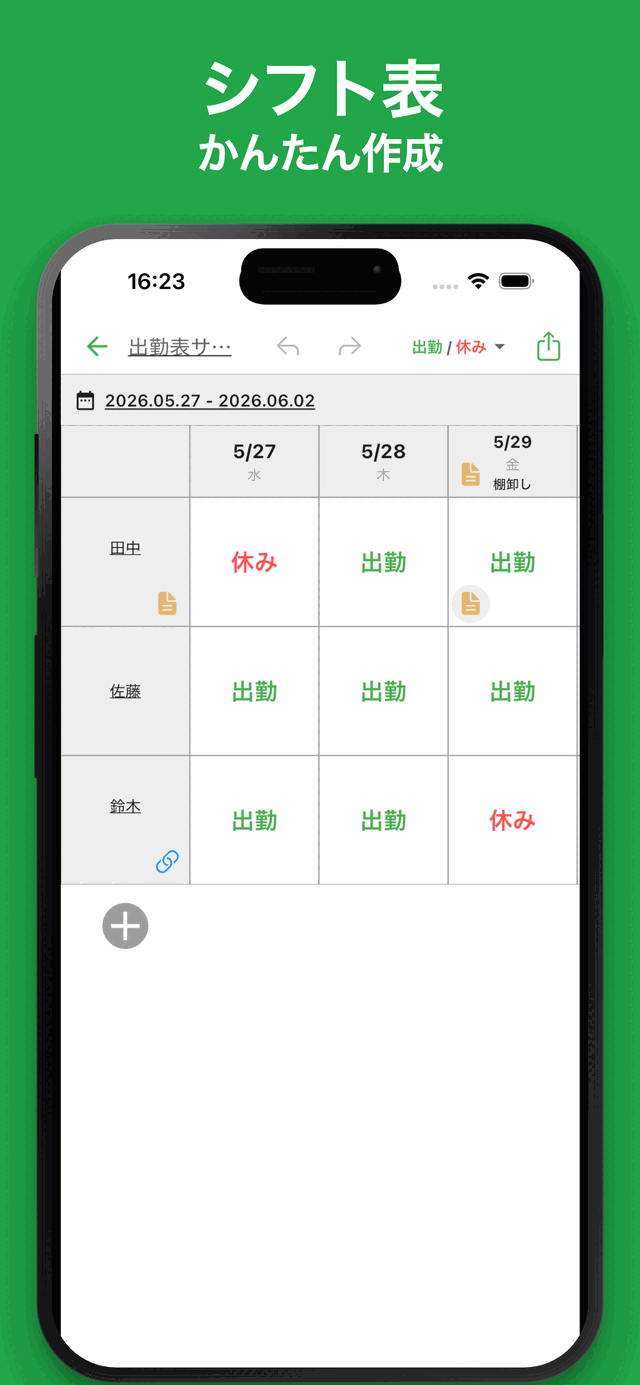
・Shift management by person Place staff or members vertically and check each person's schedule by date in a table format. See who is working, who is off, and who is assigned to each role at a glance.
・Various shift patterns Supports multiple input patterns, such as Work / Off, Day / Night, Early / Late, Morning / Afternoon, Hall / Kitchen, and more. Create shift sheets that fit your needs.
・Checklist-style input Tap a cell to quickly switch between workdays, days off, shift types, and other options. Edit smoothly even on your phone.
・Notes Add notes to cells and items. Keep track of work details, reminders, role information, and other important notes.
・Color coding Set colors for people and cells to make your shift sheet easier to read. Organize roles and shift types visually.
・Links Add links when needed. Useful for managing related documents, reference pages, or shared resources.
・Ready to use No account registration required. Start creating shift sheets right away without complicated setup.
・Export and share Export and share your created shift sheets. Excel and CSV export are supported, making it useful for checking or editing on a PC and working with other spreadsheet apps.
・Import Import saved data and edit it again.
・Dark theme support Dark theme is supported, so you can use the app comfortably at night.
Latest News
Simple Shift Sheet was released on Android.
User Reviews
Comments from App Store and Google Play users
Related Apps
Find an app that fits what you want to do next.


More Apps

Reply AI for AppReview
Reply AI is an app that automatically generates replies to user store comments.

Simple Receipt
Easy Receipt Creator

Simple Relationship Map AI
AI-powered Relationship Map

Simple Quote
Quote Maker & Estimate App

# Simple Purchase Order
Easy Purchase Order Creator

Simple Income & Expense
Income & expense money tracker

Simple Visualize AI
Visualize Anything with AI

PatoRepo
Helps daily numerical management such as factory inspections

MLB Player News
Follow your favorite players

Simple Menu Maker
Create Menus Quickly & Easily
Frequently Asked Questions
For help with using the apps, purchases, and common questions, please visit our FAQ.
Read the FAQOpens in a new tab
Feedback and Requests
If you have feedback or requests about this app, please contact us using the form below.
Open the feedback form