Why manual scheduling is hard: the three hidden frictions
Creating and maintaining a Gantt chart is essential for project visibility, but the manual effort required often turns scheduling into a dreaded chore.
Teams often face three recurring hurdles: starting from a blank slate without knowing all necessary tasks, manually calculating duration and predecessor dependencies, and having to shift dozens of dates by hand whenever a timeline changes.
Blank-page paralysis
Breaking a high-level goal into actionable work items requires intense recall and foresight, making it difficult to start.
Dependency math
Determining which tasks must wait for others and calculating end dates by hand is time-consuming and error-prone.
Update drag
When unexpected delays occur, updating every downstream task manually is so tedious that charts quickly fall out of date.
Four key advantages of using AI for Gantt charts
Generative AI excels at understanding project contexts, breaking down objectives into logical work breakdown structures, and updating interconnected data in seconds.
Instant task breakdown
Simply state your goal in natural language. The AI decomposes it into phases, deliverables, and actionable tasks automatically.
Logical sequencing and duration
The AI predicts sensible durations and establishes predecessor-successor relationships based on standard industry workflows.
One-phrase schedule adjustments
Saying “delay everything by three days” or “shift the launch to next month” automatically recalculates all affected tasks without manual drag-and-drop.
Early bottleneck and risk detection
AI can inspect task names, find spelling errors, and highlight tight paths where delays will directly impact your launch deadline.
How to prompt AI: writing clear scheduling instructions
To get an accurate and realistic Gantt chart from AI, provide context around your objective, timeframe, and constraints.
Specify start date and total timeframe
Giving explicit calendar boundaries ensures the generated task bars fall on realistic working dates.
List key milestones and review points
Ask the AI to include client reviews, approvals, or beta tests so handoffs are never overlooked.
Refine through interactive dialogue
Start with an overview chart, then ask the AI to expand specific phases or split long tasks into smaller sub-tasks.
Vague request: “Create a plan for developing our service.”
Specific request: “Create a 4-week Gantt chart for a web service landing page starting next Monday. Include planning, wireframing, copywriting, design, coding, testing, and deployment with weekend exclusions.”
Clear goals, target durations, and defined boundaries give AI the parameters needed to produce an immediately useful schedule.
Concrete AI scheduling examples
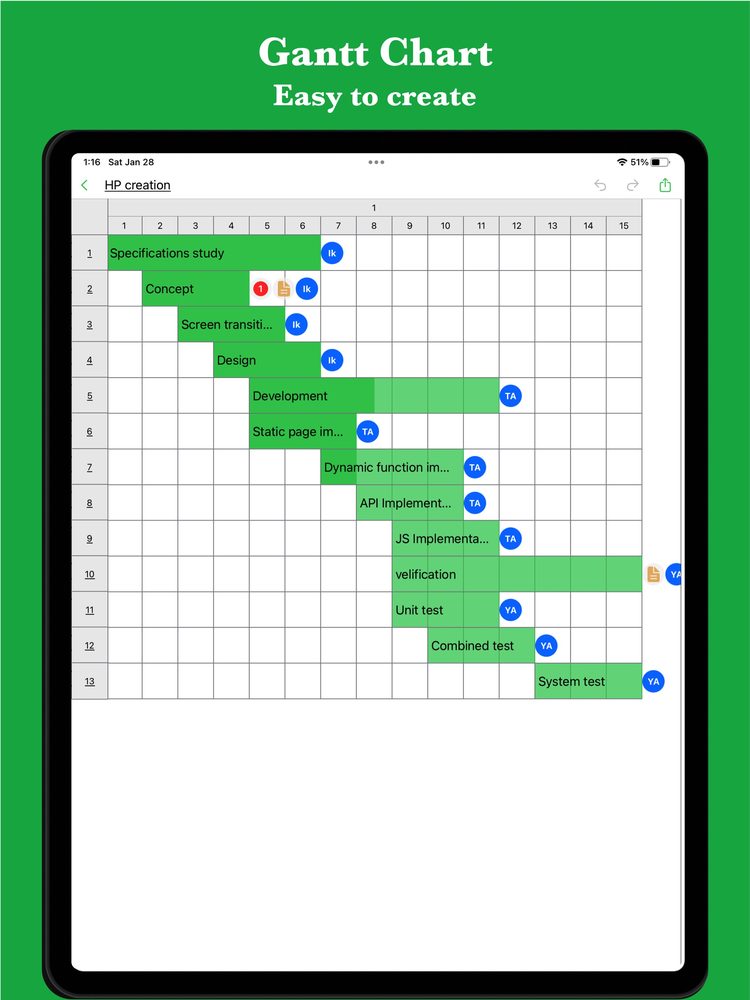
Here is how common planning scenarios look when structured into an actionable Gantt chart with task dependencies.
Example: Mobile app release plan
Prompt: “Create a 2-week mobile app release schedule. Tasks must include final QA, app store build submission, review waiting buffer, and post-launch smoke tests.” The AI orders the dependencies so store review strictly precedes the public launch.
Example: Website redesign and content migration
Prompt: “Plan a 6-week website redesign. Design and copywriting should happen in parallel, followed by coding, CMS migration, and staging verification.” AI configures parallel tracks and converges them before QA.
If the web app asks you to sign in, download the sample file and import it into iGanttChart.
Human oversight: combining AI speed with practical judgment
AI accelerates the drafting and editing process, but the team on the ground always holds essential domain knowledge.
Use AI output as a high-quality initial draft
Creating a draft from scratch takes hours; reviewing and tailoring an AI-generated chart takes minutes.
Agree on task handoffs with the team
Verify that task owners understand what “done” means before work begins, ensuring seamless transitions between bars.
Leverage AI when reality deviates from plan
When an unexpected delay occurs, ask AI: “Task X is delayed by 4 days—how can we compress downstream tasks to preserve our launch date?”
Start effortless planning with GanttchartAI
To bring the power of generative AI directly into your project workflow without complex spreadsheet formulas or heavy software, we built GanttchartAI.
Simply explain what you want to achieve in natural language, and GanttchartAI automatically generates the optimal Gantt chart on mobile, tablet, or directly in your browser at ganttchartai.tanaike.jp.
Natural language creation
Describe your project goal in chat, and watch the AI instantly break down tasks, assign working days, and draw the timeline.
Effortless conversational adjustments
Tell the AI to shift start dates, extend specific phases, or shorten buffers—all related tasks update automatically.
Intelligent schedule audits
The AI scans your chart for inconsistencies, typos, and high-risk critical paths, suggesting immediate corrections.
No registration required and cross-platform
Start planning right away on iOS, Android, or web, and export seamlessly to iGanttChart for manual fine-tuning.
Create your own Gantt chart
Choose a Gantt chart app for your plan. Explore manual editing and AI-assisted planning on the app pages.