

Simple Order Slip se publicó en Android.
Capturas de pantalla
Acerca de esta aplicación
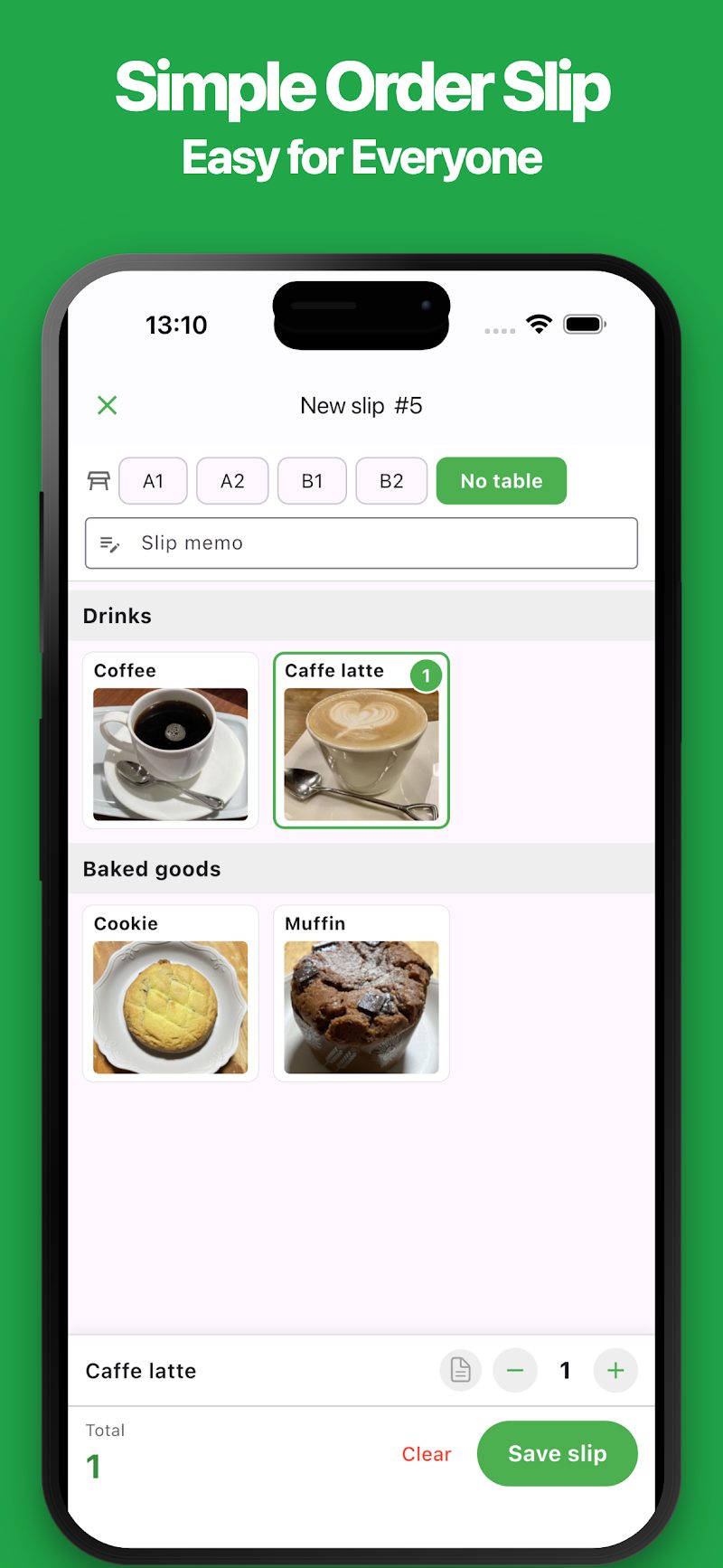
Manage orders on your phone as easily as using paper order slips. Simple Order Slip helps you take orders and track serving status, all from your phone.
Perfect for small restaurants, cafés, food stalls, and event vendors.
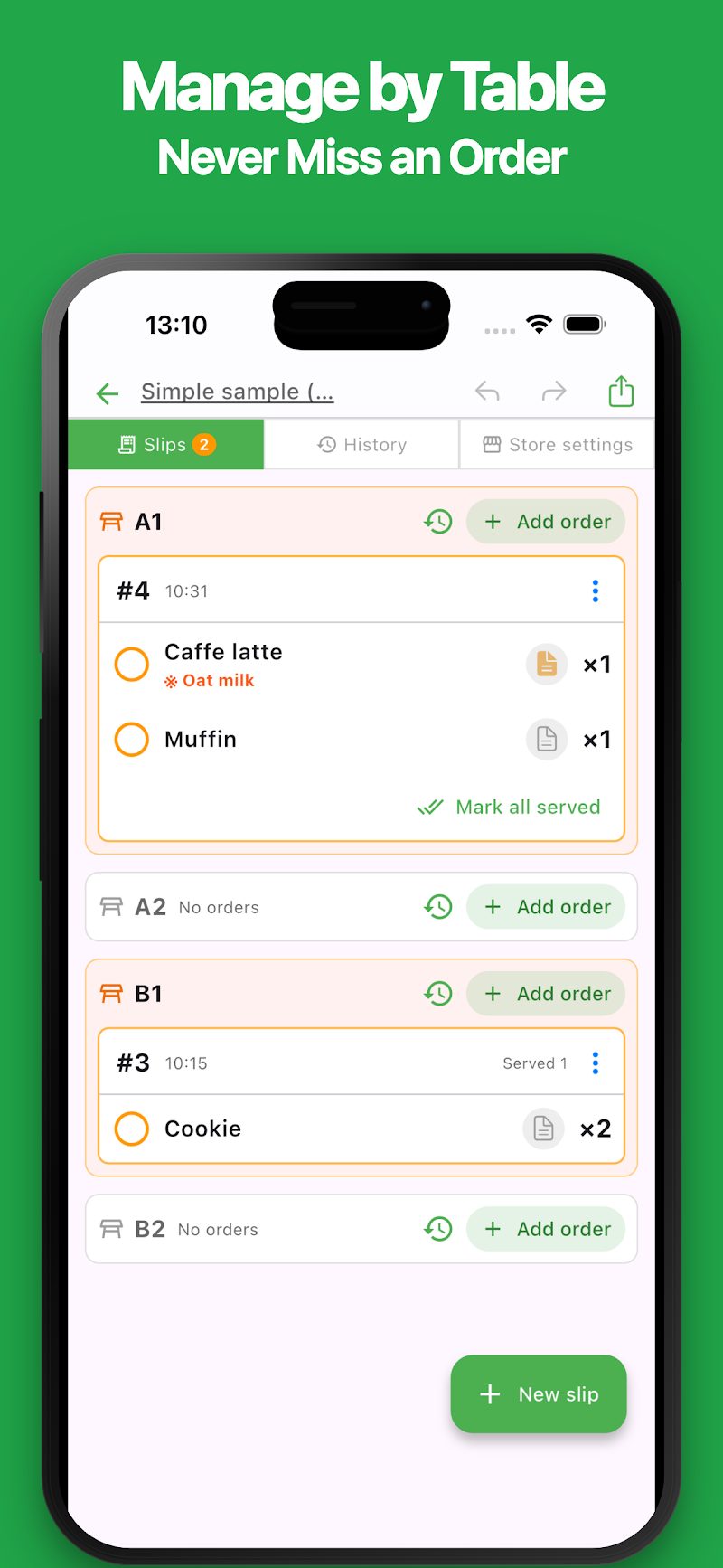
Record orders by table and see which items still need to be served at a glance. Simply tap menu items to add orders, then mark them as served with a single tap. Keeping track of orders and serving status helps prevent missed items and serving mistakes.
Especially useful for small restaurants where the kitchen and dining area are separate, and one person handles front-of-house service. Even during busy hours, you can quickly check orders and unserved items for each table, making it easier to manage daily operations with a small team.
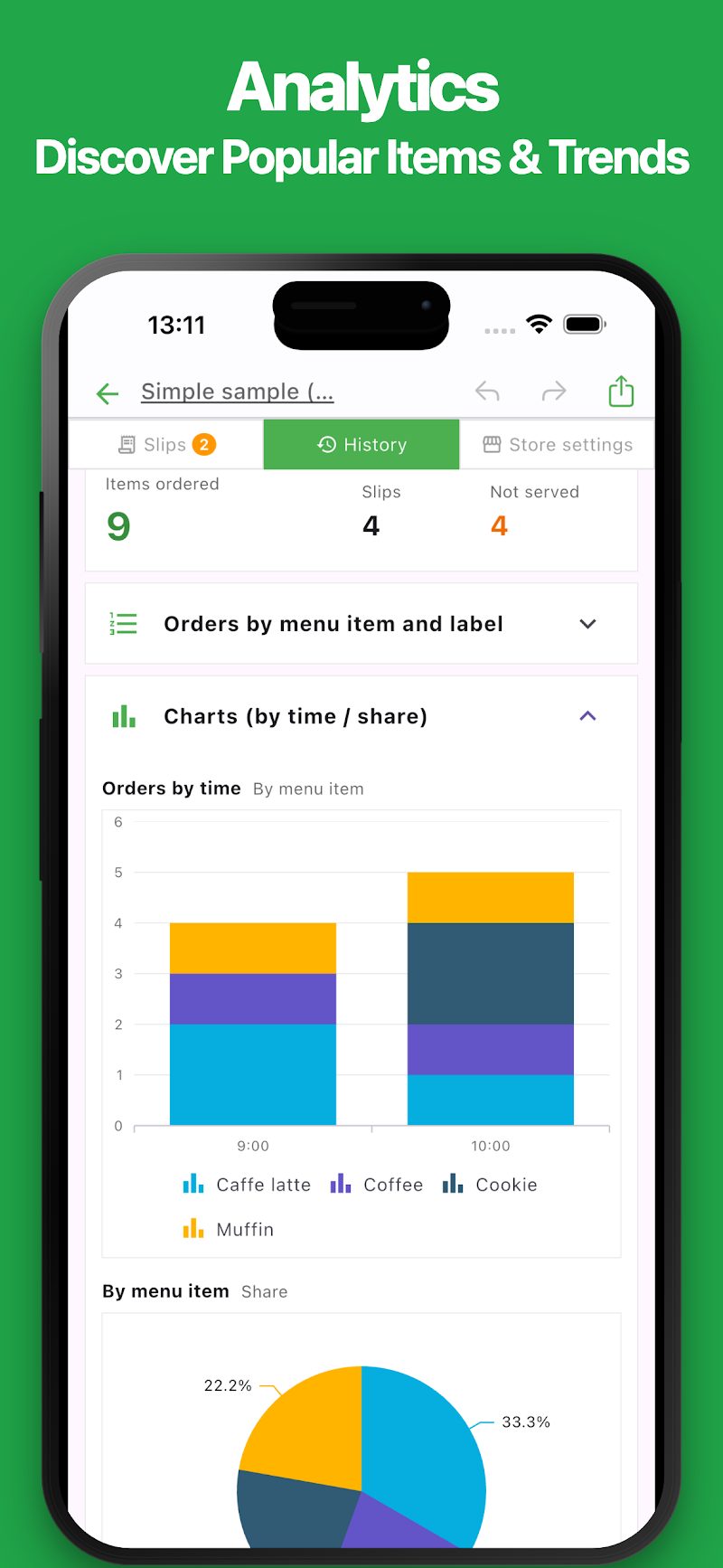
You can also review order history, discover popular menu items, and analyze ordering trends by time of day.
Great for:
・Taking orders at independently owned restaurants ・Managing orders when working alone in the dining area ・Running small cafés and coffee shops ・Taking orders at small bars and pubs ・Managing orders at food trucks and stalls ・Serving customers at festivals and events ・Running school festival food booths ・Managing takeaway orders
Ideal for independent restaurants and small businesses that want a simple way to manage orders without investing in a complicated system.
Features
・Simple and Intuitive A clean, easy-to-use interface. Add orders by tapping menu items and adjust quantities with ease. Get started quickly, even if you've never used an order management app before.
・Manage Orders by Table Create order slips for individual tables or seats. You can also take orders without assigning a table, making it useful for takeaway service, standing bars, and other situations.
・Track Serving Status View all unserved items organized by table. Mark items as served with a single tap to help prevent missed orders and serving mistakes. Even when managing the dining area alone, you can quickly see what still needs to be served at each table.
・Menu Management Customize menu items with names, images, colors, and labels. Organize your menu for easy access and temporarily disable unavailable items when they sell out.
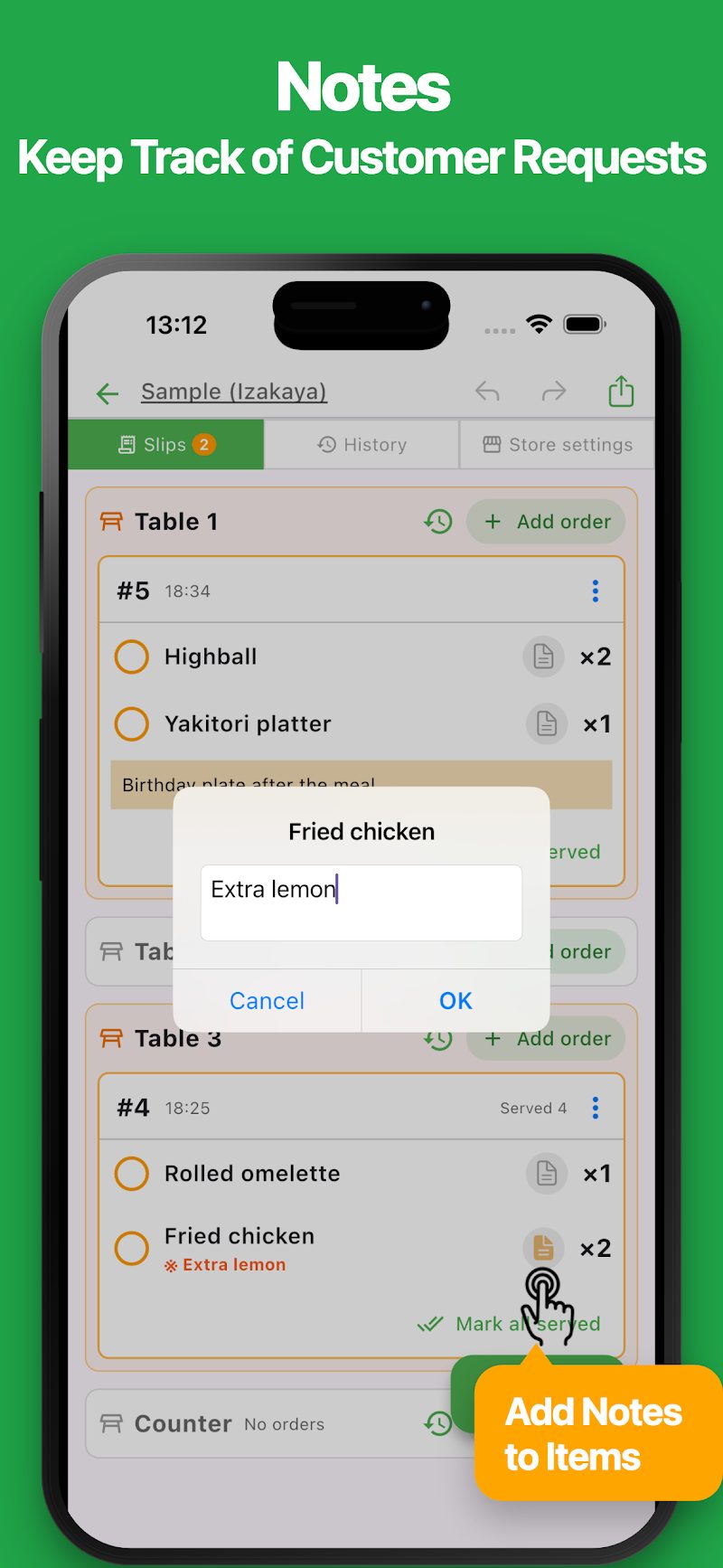
・Notes Add notes to individual items or entire orders. Keep track of special requests such as "Extra large," "No ice," or "Food allergies."
・Order History Save order details and serving status. Review previous orders and update serving status when needed.
・Order Analytics Track order quantities, order slip counts, and popular menu items. View orders by menu item or category, and explore ordering trends by time of day with easy-to-read charts.
・Daily File Management Organize your records into separate files for each day or event. Import menu items and table settings from existing files, so you don't have to set everything up again.
・No Account Required No registration or sign-up needed. Start using the app immediately after installation. Your data is stored locally on your device.
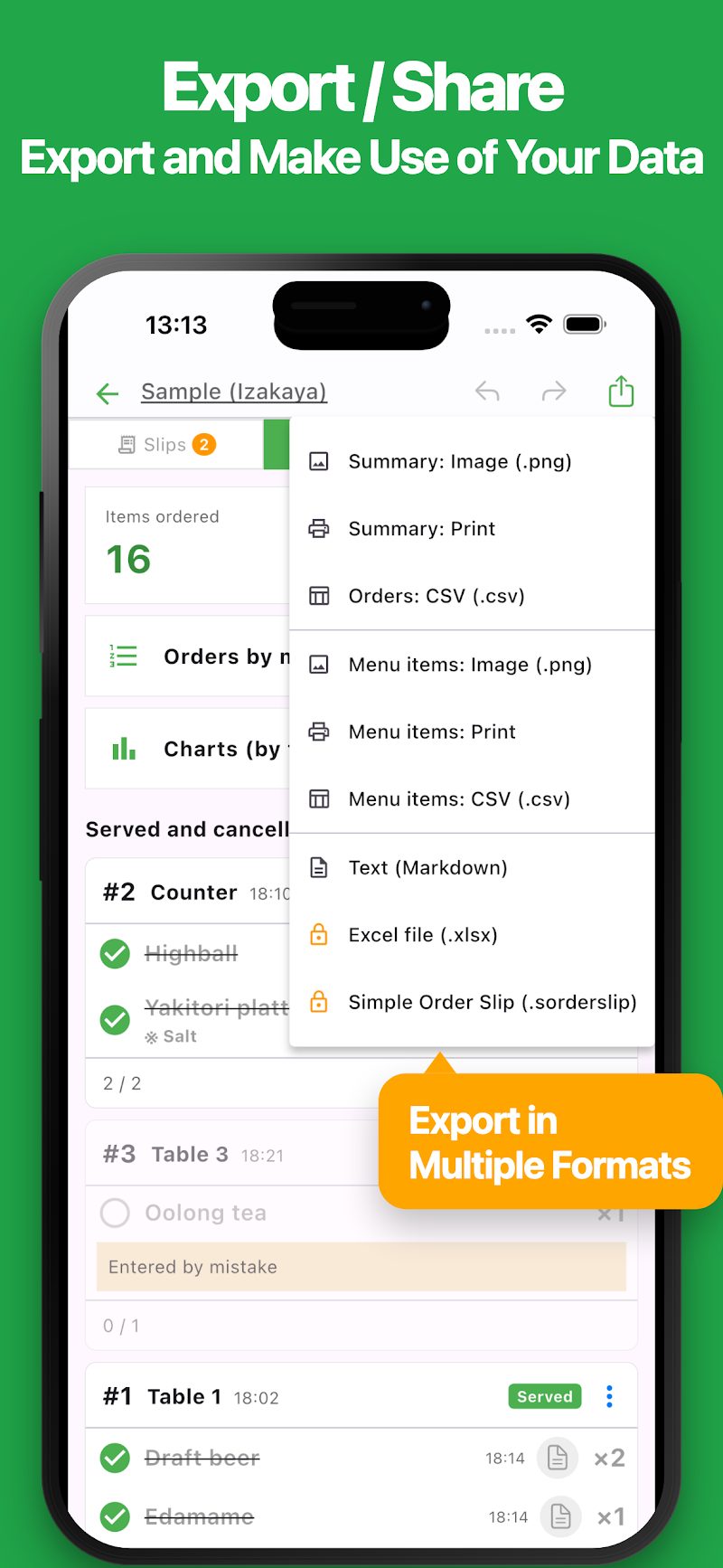
・Export and Share Export order data in CSV, Excel, and text formats. Save reports as images or print order slips when needed.
・Import Import previously exported data and continue using it. You can also use this feature to transfer data between devices.
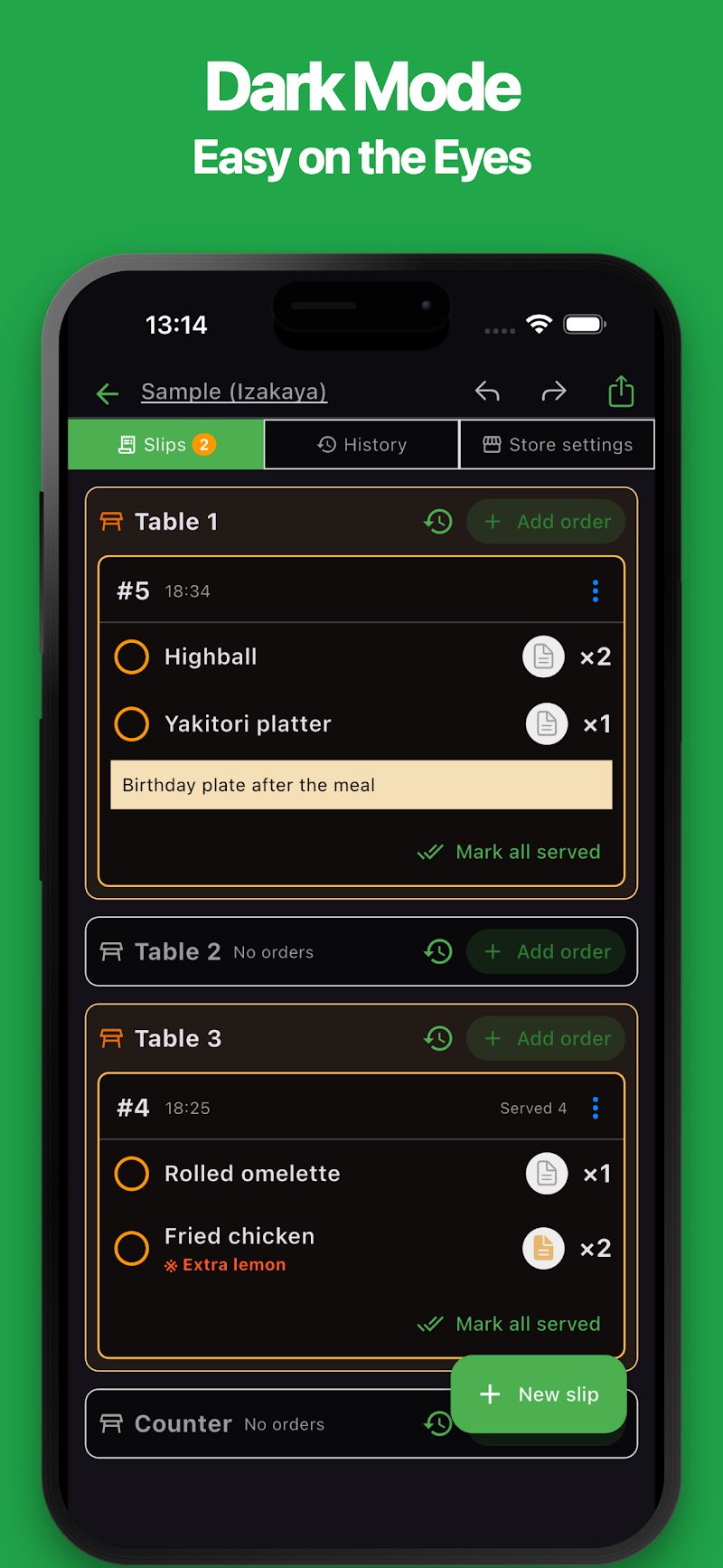
・Dark Mode Enjoy a comfortable viewing experience in dimly lit restaurants or during evening shifts.
Use Cases
・Independent restaurants ・Small cafés and coffee shops ・Pubs and bars ・Ramen shops ・Casual diners ・Food trucks ・Street food stalls ・Food festivals ・Local markets ・School festivals ・Community events ・Takeaway shops ・Other small businesses with limited staff
The simplicity of paper order slips, right on your phone. Make everyday order taking and serving management easier with a simple, intuitive app.
Note: This app focuses on order taking and serving management. It does not include checkout, payment processing, or price calculation features.
Últimas noticias
Aplicaciones relacionadas
Encuentra una aplicación que se adapte a lo que quieras hacer a continuación.

Más aplicaciones

Manga Sommelier
Una aplicación de bot de Line que recomienda manga

Asistencia para transferencias
Extensión de acceso rápido para consultar rutas de transporte público

Tabla Simple
Toma notas fácilmente en formato de tabla

iGanttChart: Diag. Gantt
Aplicación sencilla de diagrama de Gantt

Tabla de verificación simple
¡Creación flexible de checklists hecha fácil!

Diagrama de flujo IA
Diagramas de flujo IA

Diagrama de flujo simple
Crea diagramas fácilmente.

iTournament: Torneo simple
Crea llaves de torneo

Tabla Simple de Partidos
Crea tabla de partidos fácilmente móvil!

Tabla Simple AI - Notas con IA
Tablas, direcciones, turnos, tareas
Preguntas frecuentes
Para obtener ayuda sobre el uso de las aplicaciones, las compras y las preguntas habituales, visita nuestras preguntas frecuentes.
Leer las preguntas frecuentesSe abre en una pestaña nueva
Comentarios y solicitudes
Si tienes comentarios o solicitudes sobre esta aplicación, ponte en contacto con nosotros mediante el siguiente formulario.
Abrir el formulario de comentarios